
RB2B AI: ASK US ANYTHING
Crunchbase has long been a reliable resource for company information and funding data, especially within the startup ecosystem. However, its scope may not always capture the full spectrum of data needed across industries. Depending on your specific needs—whether it’s more detailed financial data, real-time updates, or broader company profiles—there are several alternatives that can offer richer insights.
In this guide, I’ll discuss 9 top Crunchbase alternatives that could better suit your business intelligence needs.
Stick around until the end as I introduce a unique tool that can enhance your B2B data pool with personal-level insights—100% FOR FREE.
Crunchbase built its reputation on startup and funding data, and it still does that well. But users are starting to look for alternatives because of these limitations.
Crunchbase’s free plan provides basic company information, but its most useful sales features are spread across the paid tiers.
For example, if you need advanced search, saved searches, or alerts, you’ll need Pro. If you need verified contact data, CRM integrations, or predictive insights, you’ll need Business. Business also gives you a higher monthly export limit.
Often, teams that want to use Crunchbase to find niche contacts, build prospect lists, or enrich their CRM need a higher-tier plan to access those features.
Crunchbase lists roughly 18 million contacts across about 400,000 organizations, which is a solid base for startup research. But if you’re a sales team looking for verified emails, direct phone numbers, and broad industry coverage, you may find the database a little thin.
For comparison, ZoomInfo has over 100 million contacts, while Apollo.io has 275+ million. If your outreach depends on contact accuracy and volume, Crunchbase alone probably won’t cut it.
Crunchbase’s data is deepest in tech startups, venture capital, and private equity. If you’re researching mid-market companies, non-tech industries, or international markets outside the US and Western Europe, you’ll find thinner profiles and fewer data points.
If you’re a developer or data team looking to pull Crunchbase data into your own workflows, you’ll hit some limitations. Full API access requires an Enterprise or Applications license, while other API access is restricted to a limited set of data and endpoints.
There’s also no straightforward free API tier for building out your own workflows at scale. That is often a drawback for smaller teams that want programmatic access to Crunchbase data without committing to a custom data license.
When evaluating alternatives to Crunchbase, I focused on these key factors to ensure effective business insights:
9 Crunchbase alternatives I believe meet the set criteria are:
Here’s a quick comparison table of what they have to offer:
Best for: Deep financial data and deal tracking
PitchBook quickly stood out to me as an essential resource for comprehensive financial data and detailed company profiles. The platform’s extensive database provided deep insights into market trends, deal tracking, and investor activities, making it invaluable for strategic decision-making.
What really impressed me was how the platform’s deal tracking and analysis tool allowed for a granular understanding of investment activities, helping identify high-potential leads and opportunities for engagement.
Additional features that contributed to our lead generation efforts include:
Despite its strengths, I feel like PitchBook’s downsides can’t be easily overlooked. The pricing is not disclosed and can be quite steep—a potential deal-breaker for smaller businesses and startups. Plus, the platform felt unintuitive to use initially because of the sheer volume of information and features available.
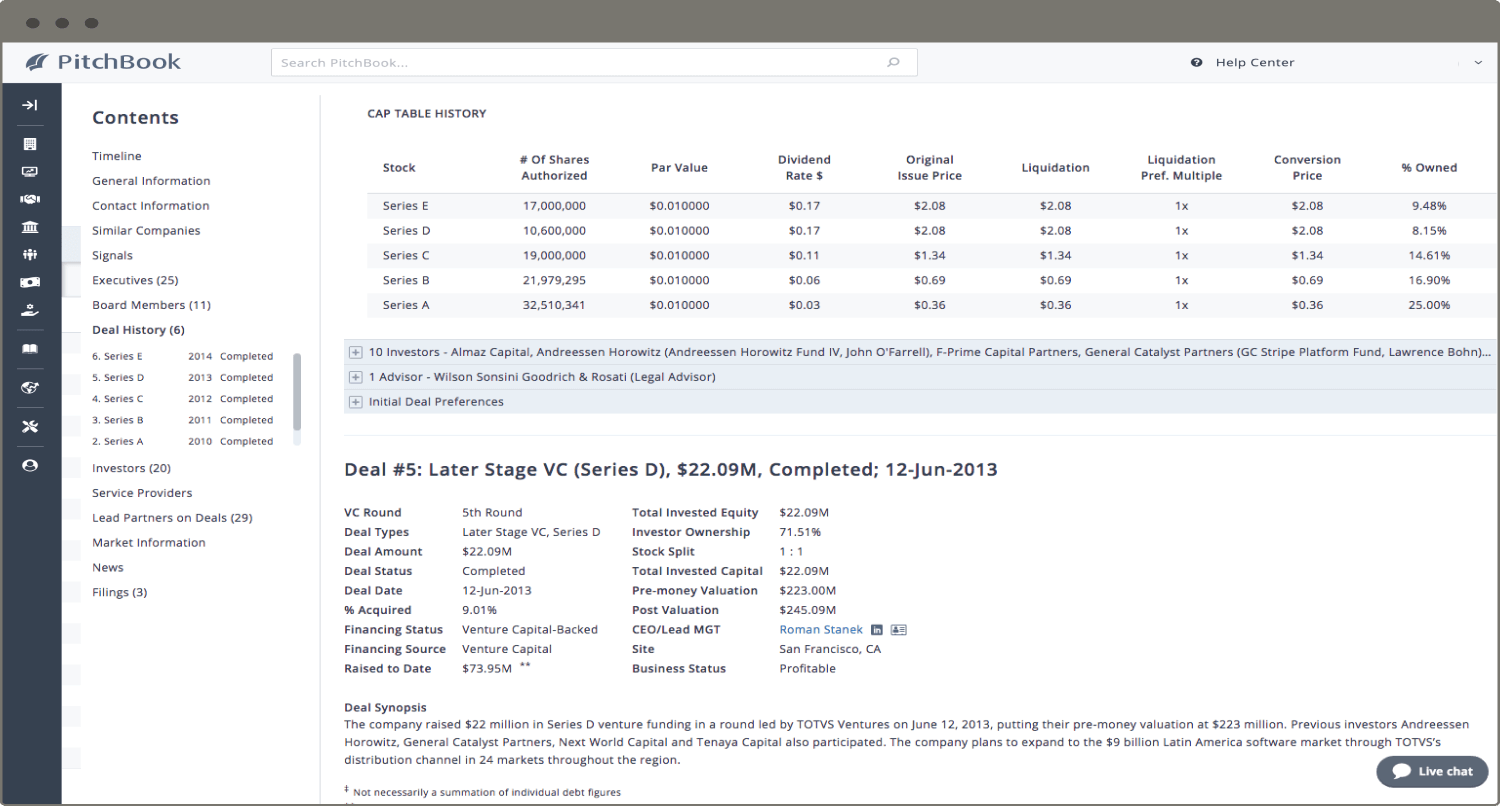
Source: PitchBook
Best for: AI-driven market intelligence
CB Insights made a strong impression as a market intelligence platform that SEAMLESSLY combines comprehensive company and investor profiles with advanced AI-driven analytics. The platform’s ability to harness predictive analytics and real-time data scouting was valuable for pinpointing emerging opportunities, enabling us to engage with high-potential leads before our competitors.
Its customizable dashboards allowed us to tailor insights specifically to our lead generation goals, boosting our competitive edge.
With CB Insights, you also get features, such as:
Like other options on this list, the platform has its challenges. Navigating the extensive data can be daunting, particularly for those new to market intelligence. While the depth of information is a powerful asset, mastering its use took some time.
The cost may also be a concern as prices are kind of steep for smaller firms or those with limited budgets.
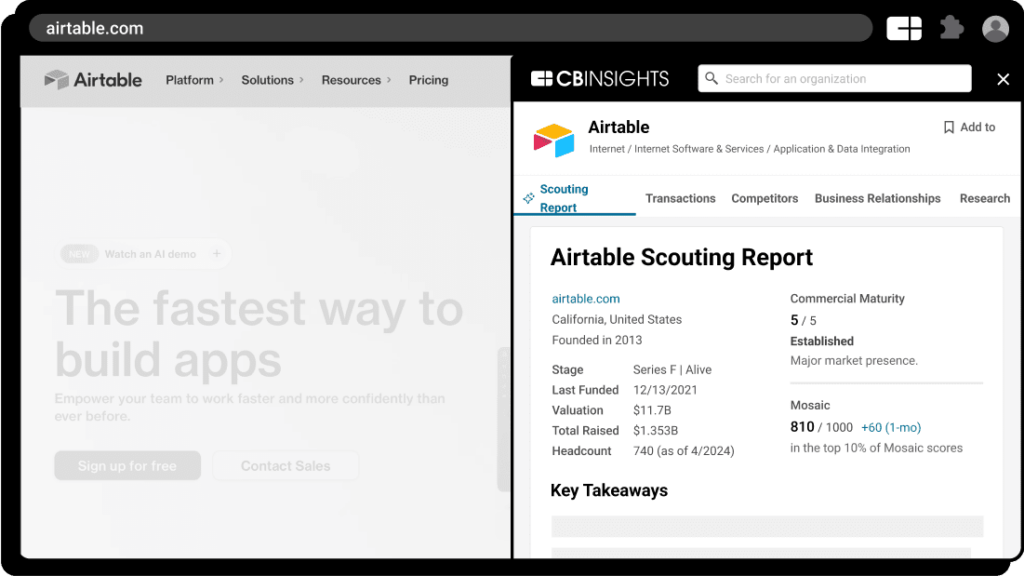
Source: CB Insights
Prices are not disclosed publicly; interested parties need to contact CB Insights directly to obtain a tailored quote.
Best for: Real-time competitive intel on a budget
Owler emerged as a valuable tool for staying ahead of the competition, thanks to its crowdsourced company profiles and real-time news and alerts.
What struck me the most was how the platform leverages community-driven insights to offer a comprehensive view of competitors, providing updates on critical events like funding rounds, acquisitions, and leadership changes.
The ability to customize watchlists and receive daily snapshots via email kept me informed about potential clients and partners that mattered most to my business.
Additional features that stood out to me are:
However, Owler isn’t without its limitations. I noticed that the platform sometimes suffers from missing or outdated information, which can impact the accuracy of the insights and, consequently, the quality of leads.
The free version is quite limited, and while the Pro plan offers more features, some users might find it expensive for what it delivers. The data accuracy can occasionally be inconsistent, which other users have also highlighted as a concern.
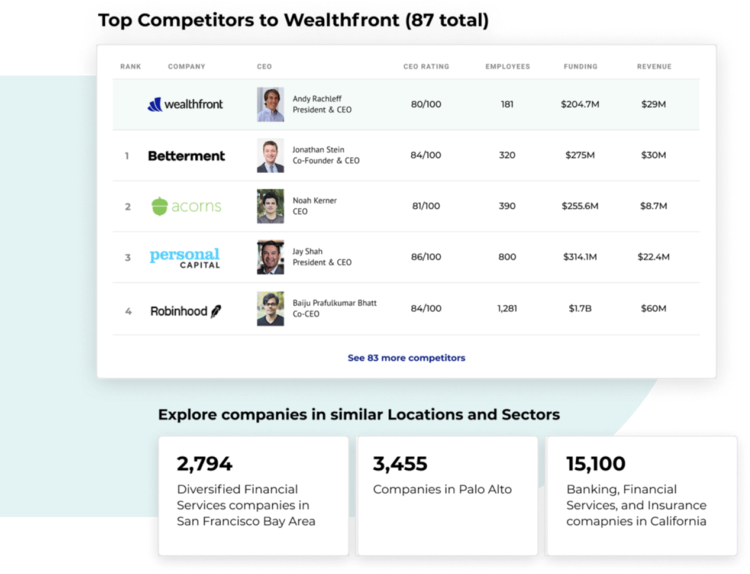
Source: Owler
Best for: Startup scouting and emerging trends
Tracxn made a HUGE impact on our efforts to streamline the discovery of emerging startups and industry trends. The platform’s extensive dataset, combined with its well-organized startup coverage, enabled us to generate precise insights and make informed decisions on identifying high-potential investment opportunities. This reduced the time we spend sourcing information about promising leads from multiple channels.
Additional features you get with Tracxn include:
Although Tracxn has valuable features, I found the sector reports less comprehensive than what competitors’ like CB Insights offer, and this impacts the depth of market analysis. I also had a gripe with the pricing as it felt steep for the value provided, especially when compared to more affordable alternatives like Crunchbase and DealRoom, which offer a more cost-effective solution for similar data needs.
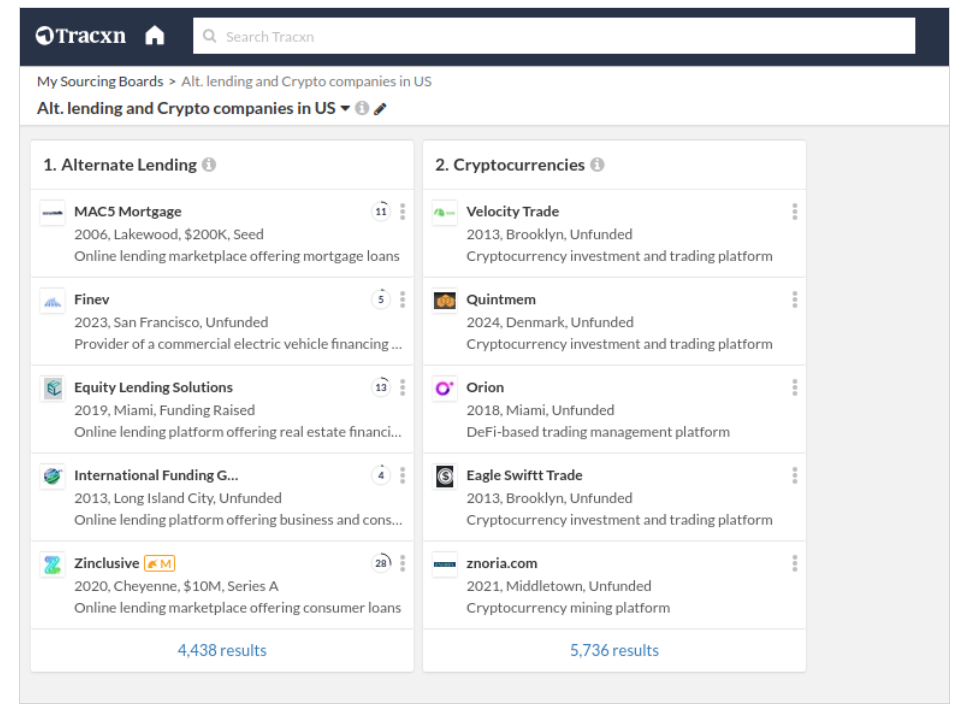
Source: Tracxn
Custom pricing based on user needs (not disclosed publicly).
Best for: Enterprise-grade B2B contact data
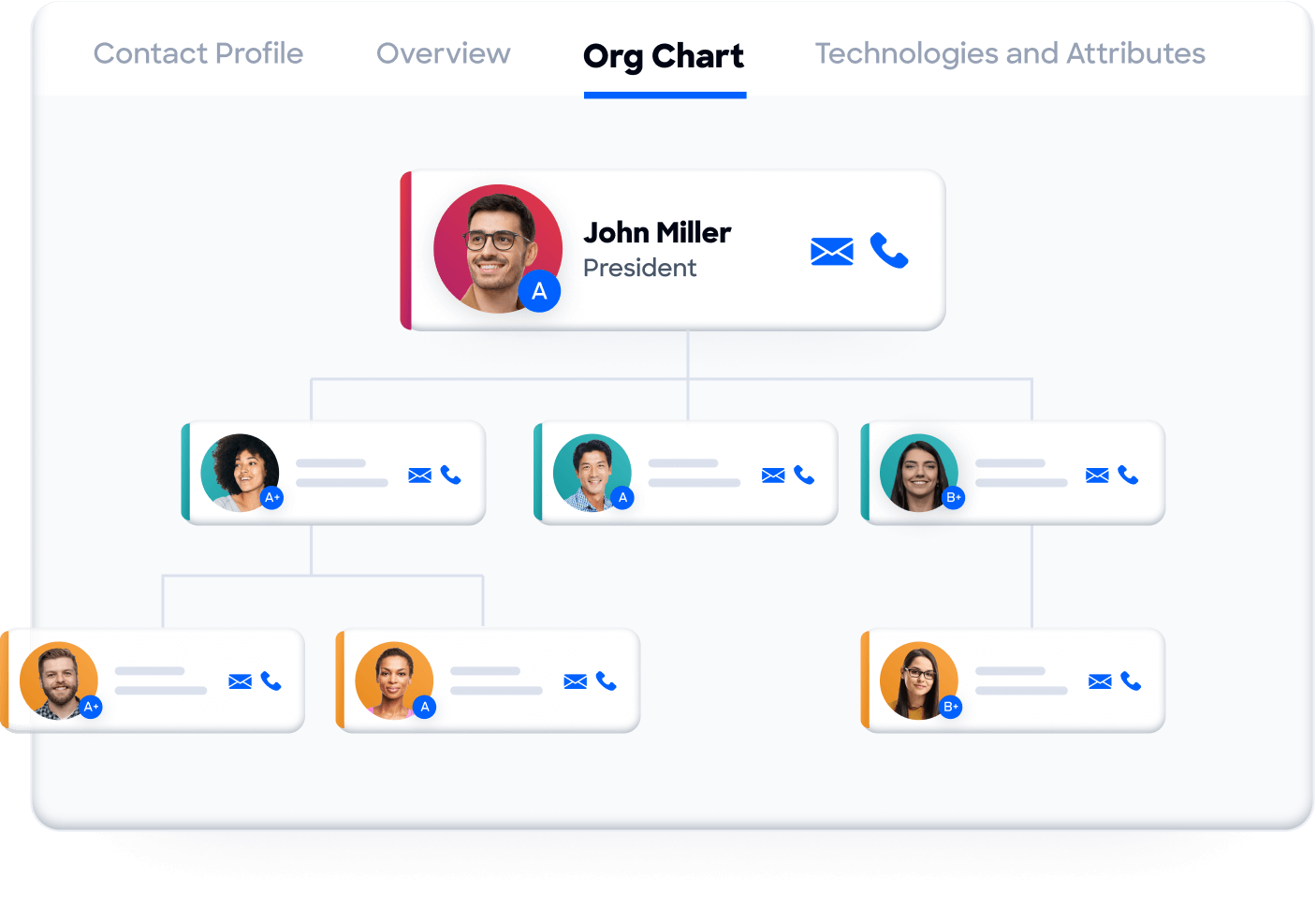
ZoomInfo quickly became the cornerstone of my business intelligence toolkit. It wasn’t just the real-time data updates that kept me on top of market shifts but also the advanced search filters that enabled me to zero in on high-value leads.
The intent data feature was a revelation, allowing me to identify prospects who were ready to make purchasing decisions, which was a significant advantage. Integrating ZoomInfo with my CRM was seamless, ensuring all data was well-organized and accessible. For more insights into what makes ZoomInfo tick the boxes—and what made me look for alternative tools—check out my comprehensive review of the platform.
While ZoomInfo’s extensive features are impressive, I found its nontransparent pricing on the higher side, particularly for smaller businesses—which was a HUGE deal-breaker. Like other reviewers, I can also attest that the platform can feel overwhelming due to its vast array of features.
Source: ZoomInfo
Pricing information is not publicly disclosed, but the plans are generally on the higher side.
Bonus read: Want to see how ZoomInfo compares to other tools? Check out my thoughts on ZoomInfo vs. RocketReach, Lusha, UpLead, and Salesgenie.
Best for: Sales engagement plus prospecting
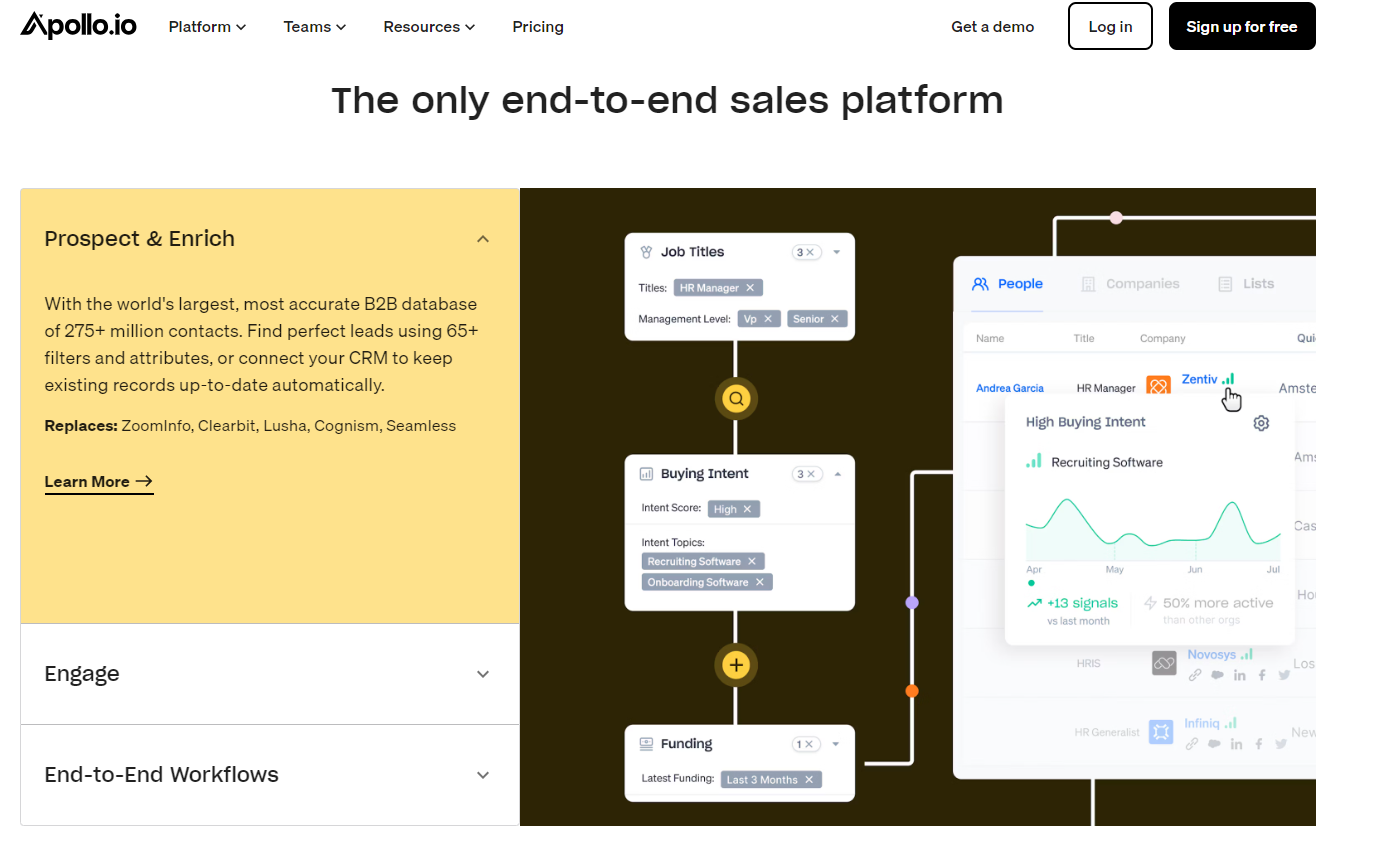
Apollo.io quickly stood out to me as a ROBUST alternative to Crunchbase, particularly in the way it balances lead management with engagement. The platform’s combination of email sequencing and data enrichment offers a comprehensive framework that makes nurturing leads more effective. Additional features that truly impressed me include:
Apollo’s extensive database was another key advantage, boasting over 275 million contacts at approximately 73 million companies—significantly larger than Crunchbase’s 18 million contacts across 400,000 unique organizations. This broader reach makes Apollo a powerful tool for scaling your outreach efforts and targeting the right prospects.
Despite its impressive capabilities, I found Apollo’s interface somewhat challenging to navigate at first, especially with its array of advanced features. This learning curve, coupled with the platform’s limited number of mobile and export credits, might present some initial hurdles for users.
Source: Apollo.io
*Listed prices pertain to the annual billing model
Get more info: Have you already tested out the platform? Check out my list of top Apollo.io alternatives to find a more suitable solution or see how it compares to ZoomInfo.
Best for: LinkedIn-native lead search
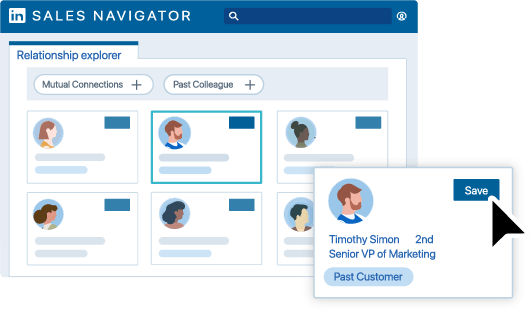
For anyone deeply embedded in the LinkedIn ecosystem, Sales Navigator is a powerful tool that feels like a natural extension of your networking activities. The platform leverages LinkedIn’s vast professional network, which includes over 60 million users, to provide targeted and advanced lead search capabilities.
Some of the standout features that enhanced my experience include:
Another significant advantage is the lead recommendations feature, which intelligently suggests potential new connections based on your existing network, making your outreach efforts more strategic and targeted. The integration of tools like Account IQ and alerts for profile changes further refines the process, allowing for more informed decision-making and timely engagement.
That said, the platform is NOT without its drawbacks—I found LinkedIn Sales Nav’s interface to be somewhat clunky and not as intuitive as one might expect from a professional tool of this caliber. Besides, the platform’s limited integration options with CRMs can be a significant con for those relying on more specialized or less common tools.
Source: LinkedIn
Best for: AI-powered contact search
In my quest for a tool that could enhance our company data management processes, Seamless.AI quickly emerged as a strong contender. Its standout feature is the AI-driven engine that efficiently aggregates and delivers accurate company data, significantly reducing the time and effort required to compile information. The platform’s real-time data refreshes meant that we could stay ahead in a fast-moving market, always equipped with the most current information.
Key features that added value to our data management experience included:
While Seamless.AI brought numerous benefits to the table, I had some challenges with the tool along the way. The occasional data inaccuracies were a bit disappointing, especially given the platform’s emphasis on AI-driven precision. I also found the pricing quite steep, which might be frustrating if you’re on a tight budget or looking to scale quickly.

Source: Seamless.ai
Keep reading: Want to see how Seamless compares to other Crunchbase alternatives? Check out my ZoomInfo vs. Seamless comparison.
Best for: European startup and investor data
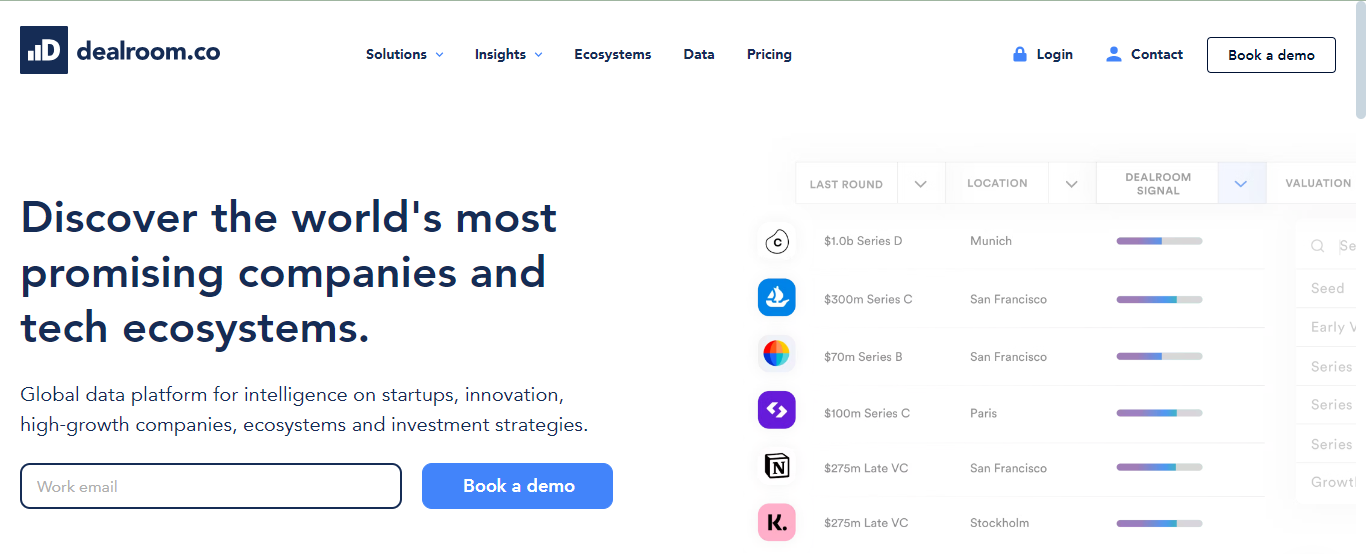
If you seek a Crunchbase alternative that offers comprehensive insights into startups, scale-ups, and investment rounds, Dealroom is a top contender. It excels in providing detailed company profiles, market analysis, and ecosystem mapping, which are ESSENTIAL for understanding the competitive landscape and identifying high-growth opportunities.
Dealroom stands out with its ability to not only track funding rounds but also offer granular details on investor profiles, helping you make informed decisions in the fast-paced world of startups.
With Dealroom, you also get the following features:
One aspect I found less satisfying was the occasional data inaccuracies, which required further verification. Managing and downloading large datasets sometimes slowed down my workflow, a potential deal-breaker if you’re looking for efficiency in time-sensitive projects.
Source: Dealroom
The right Crunchbase alternative depends on what you’re trying to accomplish, your budget, and the features you need.
Once you know what you need the platform to do, it’s much easier to narrow down the options and find one that fits.
Each alternative to Crunchbase offers something unique to fit different business needs. Whether you’re after comprehensive financial data with PitchBook, leveraging AI-driven insights with CB Insights, or seeking a robust database for lead generation like Apollo.io and ZoomInfo, there’s a solution tailored to your strategic goals. Owler and Tracxn, with their niche advantages like crowdsourced insights and detailed startup coverage, can be particularly valuable if you’re focused on staying ahead in rapidly evolving markets.
Choosing the right tool really boils down to what you’re aiming to achieve, your budget, and the scale of your operations. Some platforms offer unmatched data depth but may come with a steeper learning curve or higher costs, which can be especially challenging for smaller firms or startups.
To truly optimize whichever platform you choose and enhance your lead generation efforts, you’ll benefit from integrating it with a powerful tool like RB2B’s Person-Level Website Visitor ID tool.
RB2B is the perfect complement to any of the Crunchbase alternatives we’ve discussed, giving you that extra edge in identifying and converting high-intent leads.
Compared to Crunchbase and its alternatives that help you research companies, funding, and contacts, RB2B solves a completely different problem. It helps you identify who is already visiting your website so you can act on that buying intent.
By focusing on identifying individual leads rather than just companies, RB2B enables you to engage more effectively with prospects who are genuinely interested, ensuring your outreach is precisely targeted.
Once RB2B identifies someone who’s interested in your product or service, you can use any of these Crunchbase alternatives to learn more about them, find additional contact information, and plan your outreach.
What’s great about RB2B is that it delivers personal-level lead data straight to your Slack channel every time someone visits your website—no spreadsheets or org charts involved! All you need is to add it to your website and connect it with Slack (setting up takes only a few minutes), and that’s it.
You’ll get the lead’s information in the form of a Slack message, including their:
Knowing what they’re interested in, you can confidently reach out to them with a personalized pitch to close the sale.
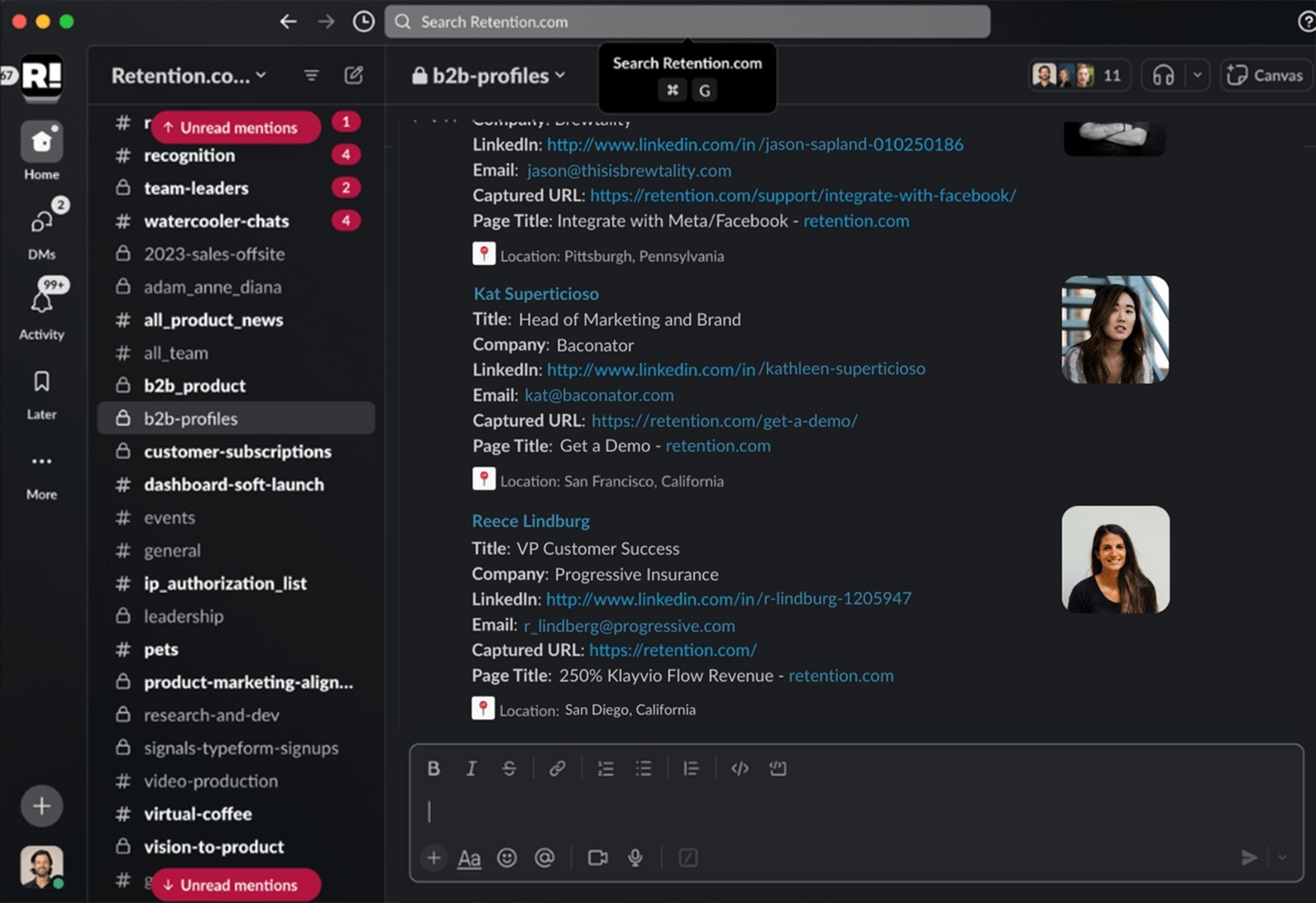
What’s more, RB2B complies fully with CCPA and CPRA regulations, so your data collection practices remain legally sound. Since RB2B exclusively tracks U.S.-based traffic, you won’t have to worry about GDPR at all!
And here’s the best part: RB2B’s basic version is free forever, making it a completely affordable, powerful addition to your lead generation toolkit.
Setting up RB2B is super simple:
And if you’re after more advanced features like filtering, CSV downloads, and additional integrations, upgrading to the Pro plan with a 30-day free trial gives you the chance to explore everything RB2B has to offer before making a commitment.
To enhance your lead generation and ensure no opportunity slips through the cracks, try RB2B’s Person-Level Website Visitor Identification tool today.
Yes. Apollo.io, Owler, Tracxn, and Seamless.AI all offer free plans. Apollo.io is the strongest option for prospecting, with 50 data credits per month and access to 275M+ contacts. For startup research, Tracxn gives you free access to 7.7M+ company profiles and funding data. Owler is better for basic competitive intelligence, while Seamless.AI gives you 50 phone and email credits to test its AI-powered contact search.
That depends on what you’re using Crunchbase for. PitchBook, CB Insights, Tracxn, and Dealroom are the closest alternatives for startup and funding research. For B2B contact data and sales prospecting, ZoomInfo, Apollo.io, LinkedIn Sales Navigator, and Seamless.AI are more direct competitors. Owler sits somewhere in between, with a focus on competitive intelligence.
The better option depends on your budget and how much depth you need. PitchBook offers significantly deeper financial data, deal tracking, and investor profiles, but it starts around $24,000/year and is quoted through a sales call. Crunchbase’s Pro plan is far more accessible and covers company and funding data well enough for most startups and small teams.
If you’re a VC firm, PE fund, or corporate development team that needs institutional-grade data, PitchBook is the stronger choice. But if you’re a startup or small sales team doing company research, Crunchbase gives you what you need at a fraction of the price.
No. Crunchbase covers companies of all sizes and stages, including public companies, mid-market firms, large enterprises and early-stage ventures. However, its data is deepest for tech startups and VC-backed companies, so you may find thinner profiles for non-tech companies and businesses outside the venture ecosystem.
Several do, but access varies by platform. Seamless.AI offers API access on its free plan, while ZoomInfo offers it on paid plans. Tracxn sells API access separately through data packs, and Apollo.io, CB Insights, Dealroom, and PitchBook reserve it for higher-tier or custom plans. LinkedIn Sales Navigator doesn’t offer API access.
Keep reading: Still deciding on the best platform for your needs? Check out my other guides for deeper insights:
Alert your reps, start automated outreach, and add to lead score in under five minutes.

