
Quick Summary
Explore the 11 best lead intelligence tools and how they differ in accuracy, automation, and pricing. Each is positioned by its strengths and ideal use case, with five easy steps to help you choose the right fit. Among the options compared, RB2B stands out for its real-time, person-level visitor identification.
Your Funnel Has a Lead Intelligence Problem
A decision-maker visits your pricing page, skims through a case study, checks your integrations, and leaves without a trace in your CRM. Meanwhile, your sales team is still chasing stale leads, completely unaware that a high-intent buyer just walked in and walked out.
Lead intelligence software solves this problem. These platforms enrich your prospect data with verified contact details, firmographic context, and real-time buying signals.
But how do you pick the right one?
We’ve evaluated the 11 best lead intelligence software, including RB2B, ZoomInfo, and Cognism. We compare each tool’s pricing, features, pros, and cons to help you find the best fit for you.
Shortlist
Why Trust This Article?
Today, RB2B serves over 1,500 customers worldwide, many of whom switched from or integrated alongside the tools reviewed in this guide.
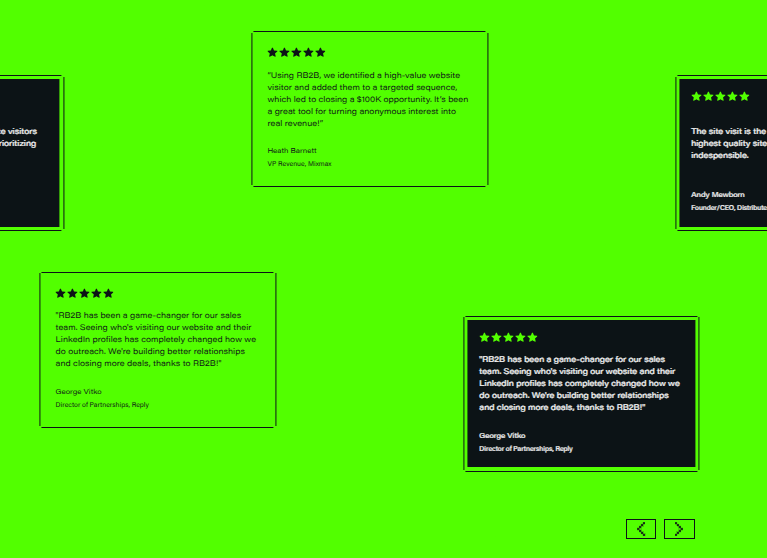
Our platform helps teams identify 70–80% of their website traffic at the person level, so we see how these tools perform inside real sales workflows and buying journeys. That firsthand experience is what informs the recommendations in this article.
What Is Lead Intelligence Software?
In simple terms, lead intelligence tools turn anonymous traffic into identifiable accounts and contacts. They track behavior, enrich data, and surface buying signals so sales teams know who to prioritize.
Lead intelligence software doesn’t work in isolation. It works best alongside lead generation and enrichment tools, adding real-time visibility into who is actually in-market.
As a result, B2B teams can engage earlier, focus on high-intent prospects, and convert more of the demand that would otherwise go unnoticed.
How Lead Intelligence Improves B2B Marketing
Lead intelligence makes your marketing efforts more effective. Here are three ways it does this:
- Focus on in-market buyers: Not every visitor is worth chasing. Lead intelligence shows which accounts are active and engaged, so your team spends time where it actually matters.
- Align sales and marketing teams: With visibility into pages viewed and actions taken, your outreach becomes more informed. This leads to more natural, relevant conversations.
- Reduce guesswork in outreach: Lead intelligence helps your team know who to contact, when to reach out, and what to say based on actual behavior.
The 11 Best Lead Intelligence Software at a Glance
Here’s a quick side-by-side view of the 11 best lead intelligence tools for B2B teams in 2026:
1. RB2B
Best for: Teams that want person-level website visitor identification
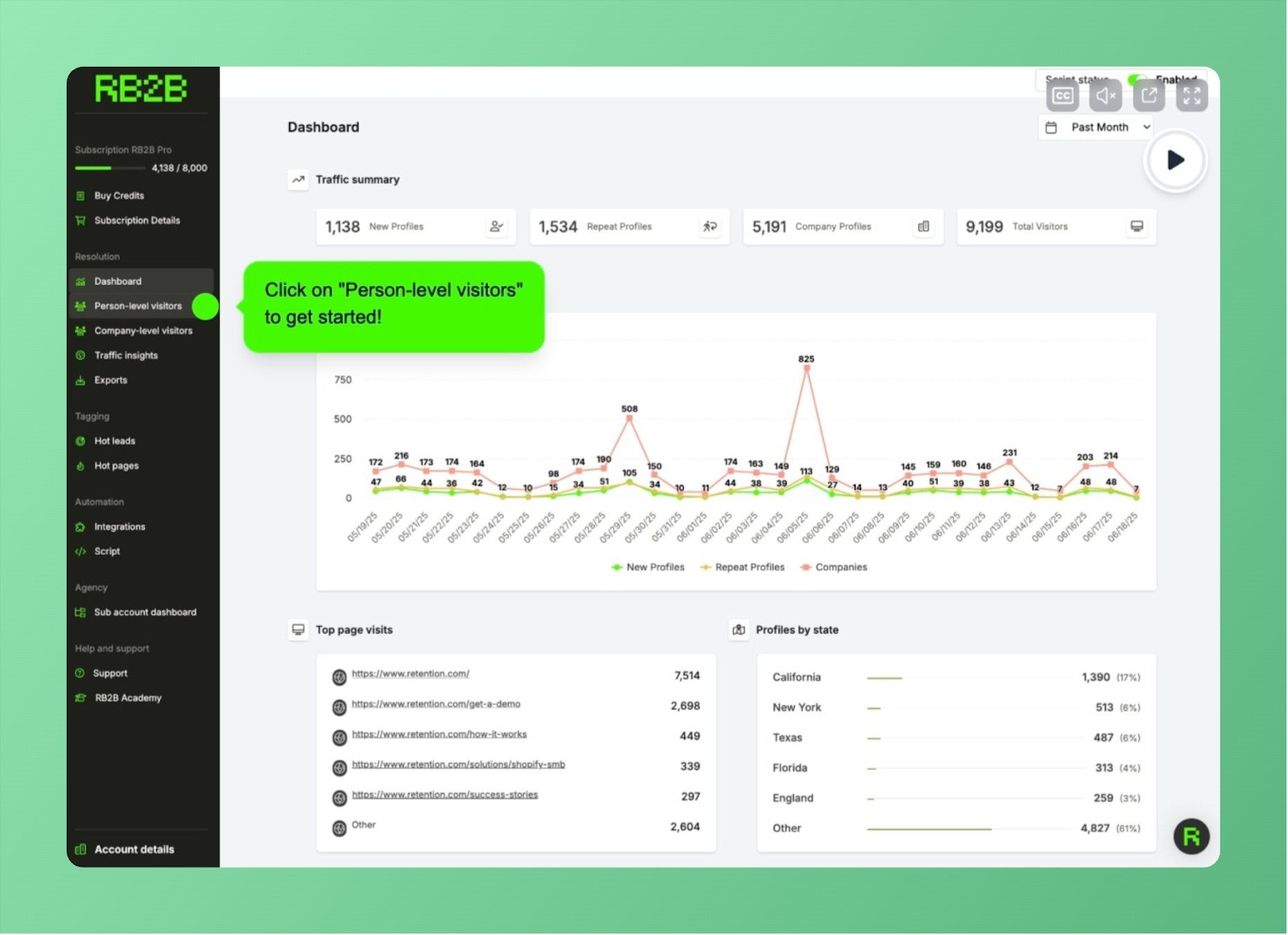
First up is RB2B, the best lead intelligence tool for teams in 2026. What sets it apart is its ability to go beyond company-level data and identify exactly who is visiting your website.
For every anonymous visitor, RB2B tracks not only which company they work for, but also who they are, the position they hold, and how to reach them. Your reps get names, job titles, LinkedIn profiles, and verified business emails pushed directly to Slack or Microsoft Teams the moment a high-intent prospect lands on your site.
Because of this, the leads RB2B delivers are high-intent. B2B teams can spend less time chasing poor-fit contacts and more time engaging decision-makers who are already showing interest.
Key Features
- Person-Level Visitor Identification: Deanonymize the actual individuals behind website visits, not just the companies they work for.
- AI-Driven Lead Scoring: RB2B’s Hot Leads feature uses AI to rank and prioritize the top 10–20% of visitors most likely to convert.
- High-Intent Page Tracking: With Hot Pages, you can monitor visits to pricing, demo, and case study pages in real time.
- Page Suppression: Lets you filter out irrelevant traffic like internal visits and non-target pages, keeping your outreach efforts focused on only the leads that matter.
- Real-Time Insights: Get instant alerts when high-intent visitors land on your site, with enriched profiles pushed to Slack or Microsoft Teams so your team can act immediately.
Pricing
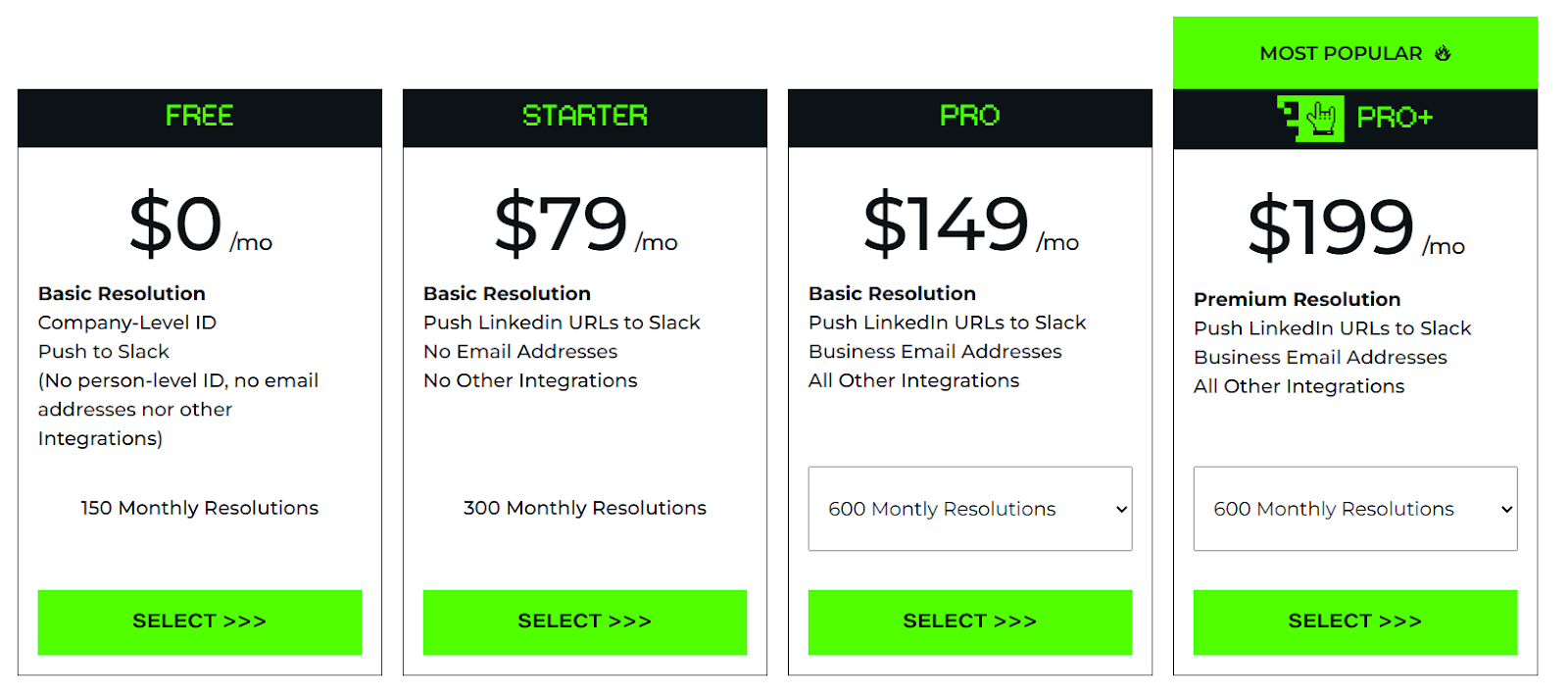
RB2B offers a forever-free plan that lets you identify up to 150 companies per month with Slack integration. As your needs grow, you can upgrade to one of three plans:
- Starter plan ($79/month): 300 resolutions for growing teams
- Pro plan ($149/month): 600–2,500 resolutions, plus business email addresses and all integrations
- Pro+ plan ($199/month): Premium resolutions, with full access to the platform and 4665 coverage into company and contact level ID
Pros
- Identifies real people, not just companies
- Instant Slack and Teams alerts for real-time outreach
- AI-powered scoring highlights buyer-ready visitors
- Compliant with CCPA and CPRA
- Connects with over 20 platforms, including HubSpot and Salesforce
- Quick and easy setup process
Cons
- Person-level identification is currently strongest for the U.S.-based traffic
2. MoltSets
Best for: Sales teams, founders, and GTM folks who want to build and enrich prospect lists from an AI assistant or their existing tools, without per-lookup credits.
MoltSets (built by the team behind RB2B) puts B2B contact data inside the tools you already use. Connect it to Claude or ChatGPT and ask in plain English, for example: “Find 100 SaaS CEOs in California with verified emails.” Or plug it into Clay, n8n, your CRM, or a spreadsheet.
It searches people and companies and returns verified work and personal emails, each with a risk score, plus carrier-verified mobile numbers. Every email is validated as it’s found, so you don’t need a separate email verifier.
Key Features
- People and company search: Build prospect lists by filtering people and companies, then enrich them in the same step
- Verified emails with risk scores: Work and personal emails are validated as they’re found and graded for send safety
- Carrier-verified mobile numbers: Real-time verified mobiles, billed per number
- Email validation and reverse email lookup: Clean an existing list before sending, or identify who’s behind an address
- Works where you do: Connect it to Claude or ChatGPT, or pull data into Clay, n8n, your CRM, or a spreadsheet
Pricing
- Free: $0, with 1,000 lookups to start and no card required
- Unlimited: $27/month (1,000 enrichments and 500 search records every 5 hours)
- Unlimited: $97/month (15,000 enrichments and 7,500 search records every 5 hours)
- Unlimited: $397/month (150,000 enrichments and 75,000 search records every 5 hours)
*Core data has no per-lookup credits; plans differ by how much you can pull every 5 hours. Mobile numbers are $0.15 each, and Unlimited plans are subject to a fair use policy.
Pros
- Works from Claude or ChatGPT
- No per-lookup credits on core data
- Finds and validates emails in one step
- Free plan
Cons
- No standalone dashboard, so you use it through an AI assistant or connected tool
- In public beta
- Mobile numbers cost extra
3. ZoomInfo
Best for: Teams that want a single source of truth for ICP account data
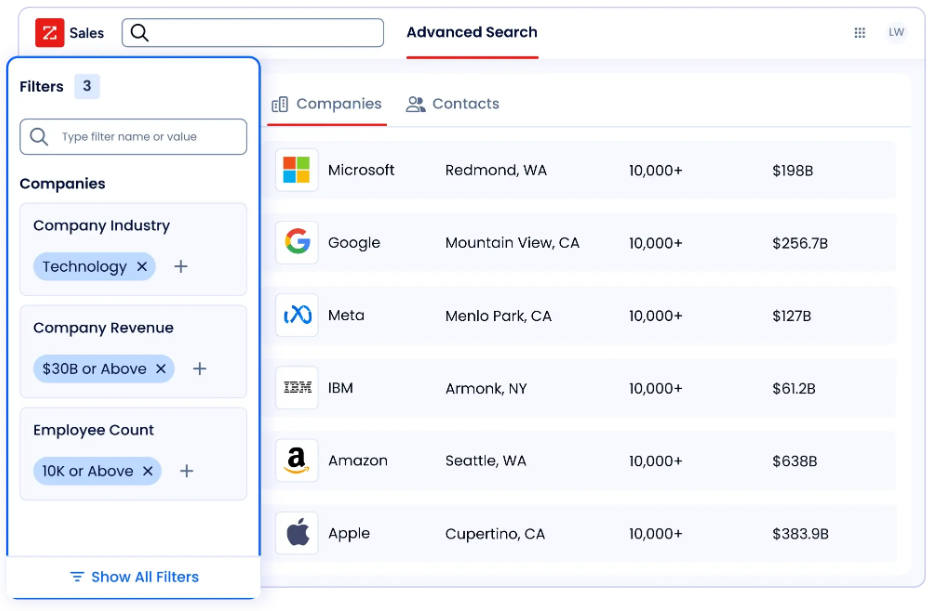
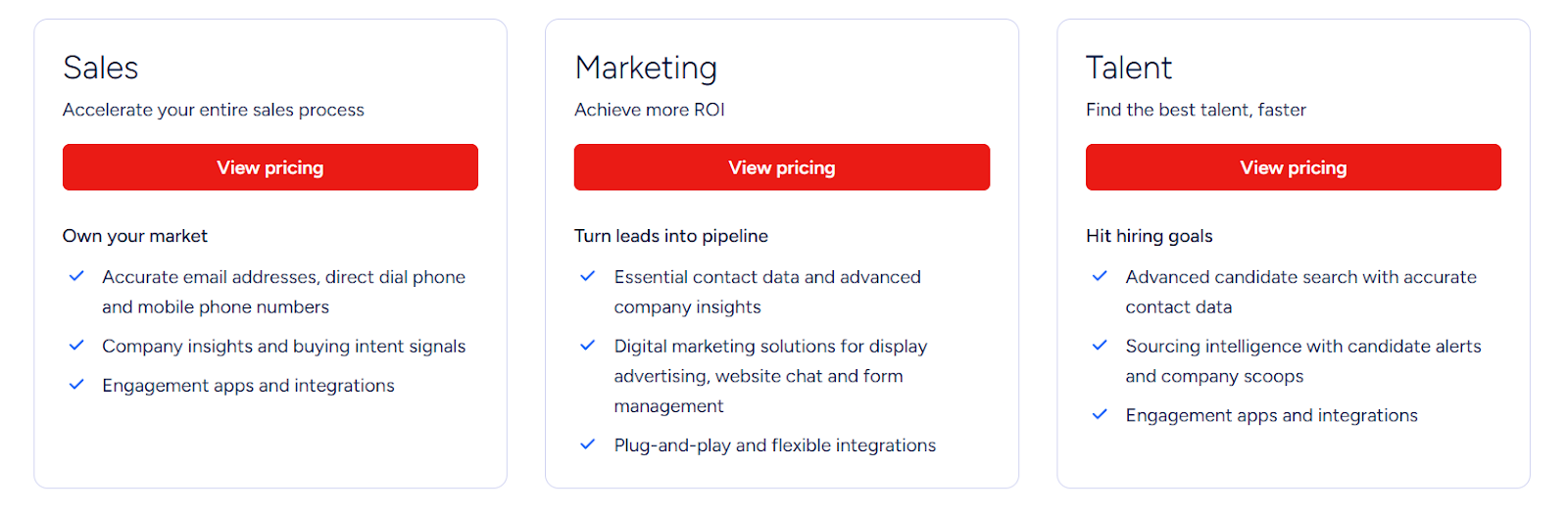
ZoomInfo’s all-in-one platform helps B2B go-to-market teams find prospects most likely to convert using highly specific targeting criteria. ZoomInfo is best suited for mid-market and enterprise organizations with dedicated RevOps support. However, its database-driven approach often results in outdated or incomplete contact data, especially in certain regions outside of the US.
Key Features
- B2B Lead Database: Users can access a database of B2B contact profiles and company records for more accurate outreach.
- Buyer Context Signals: Tracks intent spikes, hiring trends, and technology changes to inform outreach decisions.
- Organizational Charts: Maps reporting structures to help identify full buying committees.
- All-in-One GTM Platform: Serves sales, RevOps, demand gen, and paid ads teams from a single dashboard.
Pricing
ZoomInfo uses custom pricing, and exact plans are not publicly listed. Annual contracts are required and the only way to get one is to reach out to them.
Pros
- Replaces multiple tools in a GTM stack with a single platform
- Combines individual intent signals and account-level insights
- Strong prospecting features
Cons
- Initial setup can take time and may require onboarding assistance
- Limited real-time data updates compared to other alternatives
4. Apollo.io
Best for: Teams that want lead generation and engagement in one platform
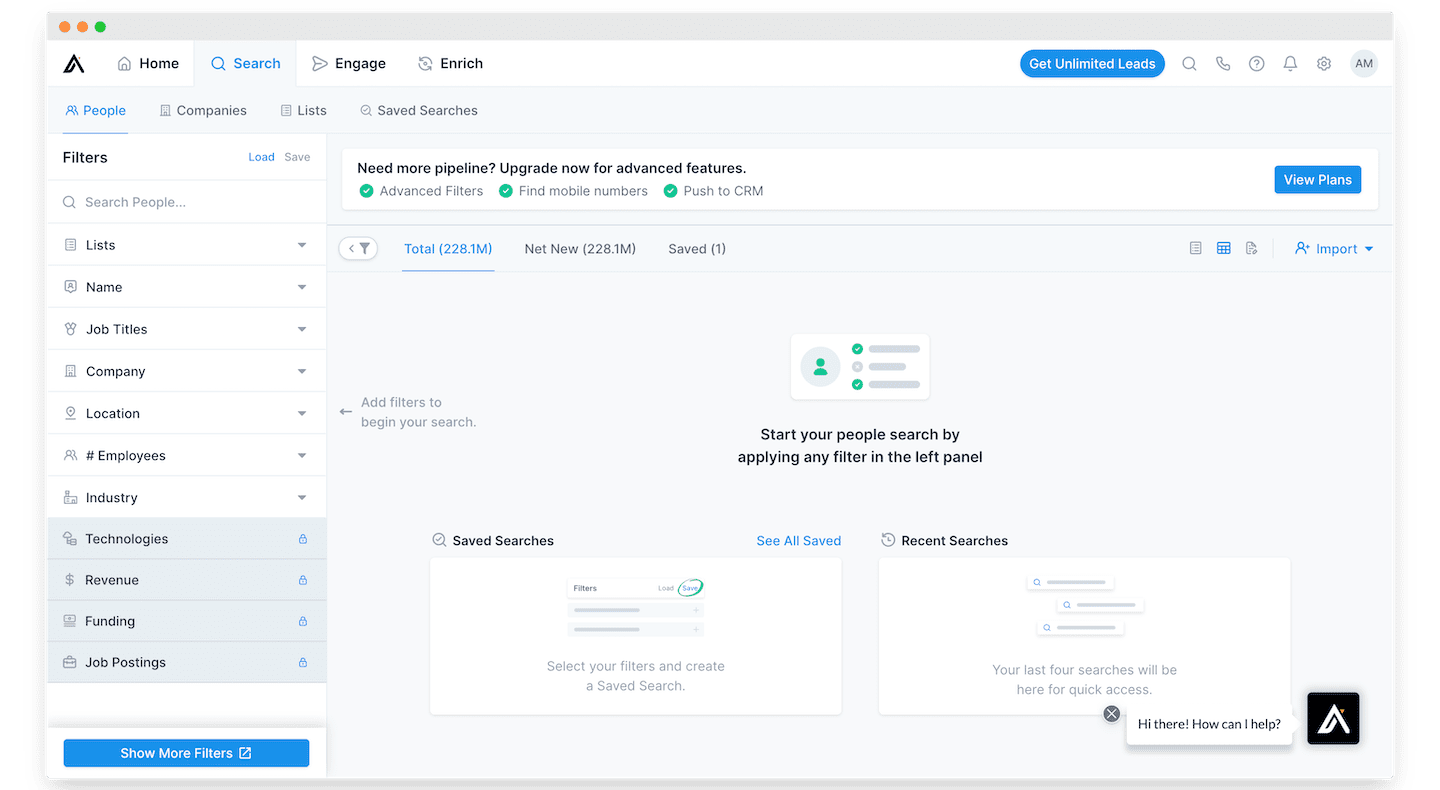
Apollo is an AI-powered go-to-market tool that captures leads from multiple sources, including website visits and form submissions. It enriches them with firmographic and demographic data for scoring and supports multi-channel outreach from a single platform.
Key Features
- Dynamic Lead Enrichment: Search, filter, and save prospect lists, with workflows that keep contact and account data updated across systems.
- Workflow Automation: Acts on incoming data automatically, even when reps are busy.
- Intelligent AI Workflows: Use AI for account research, lead scoring, message generation, and next-step recommendations.
- Chrome Extension: Captures contact data directly from LinkedIn and company websites.
Pricing
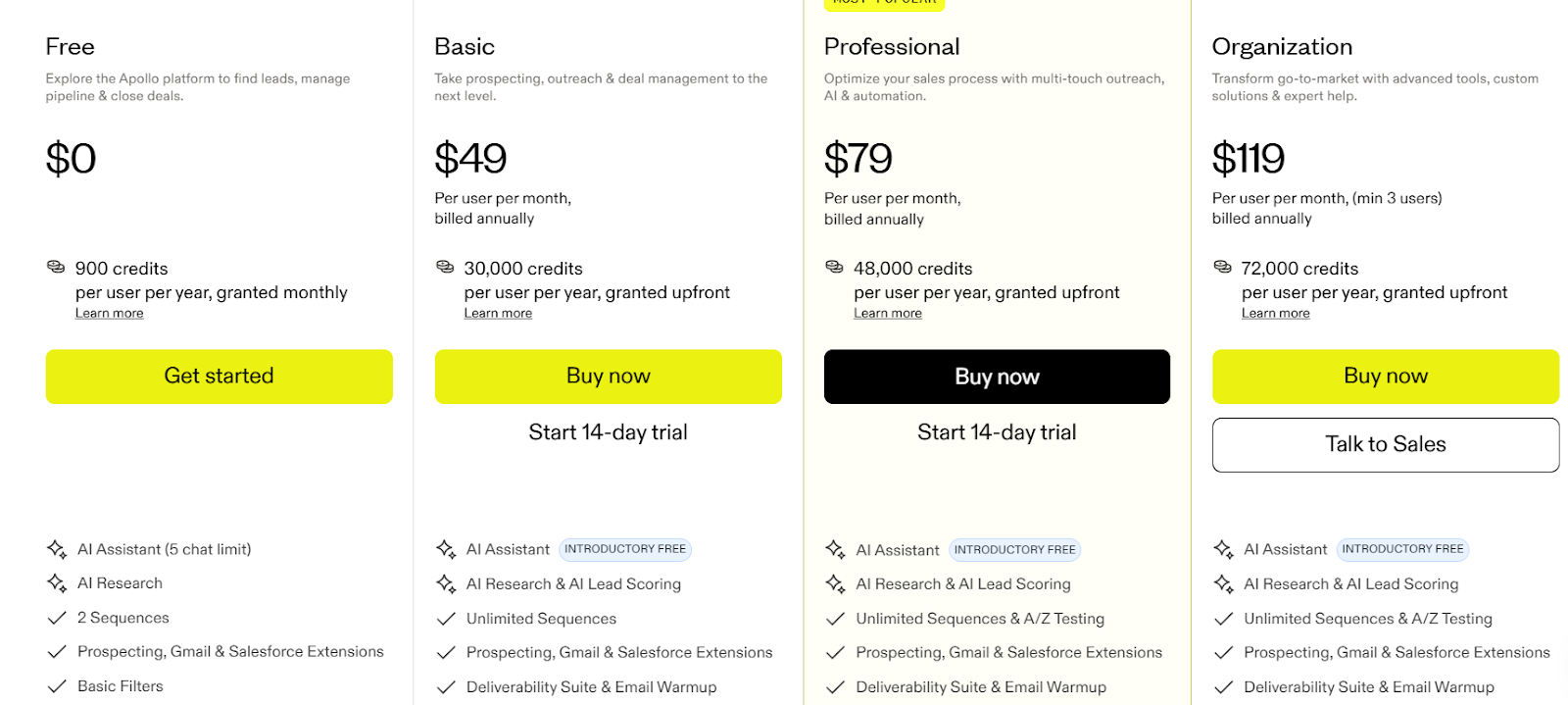
Apollo offers a free plan with limited credits and two active sequences. Paid plans use a credit-based model and there are three tiers:
- Basic at $49/user/month
- Professional at $79/user/month, and
- Organization at $119/user/month (billed annually, minimum three users).
Credit overages cost $0.20 each with a minimum purchase of 250 credits. Credits expire at the end of each billing cycle.
Pros
- Freemium plan allows teams to test before scaling
- Workflow automation improves efficiency
- Combines data, outreach, sequencing, and enrichment in one tool
Cons
- Steep learning curve for new users
- Data accuracy can sometimes be inconsistent
5. Cognism
Best for: Teams that need accurate, compliant contact data for ICP accounts
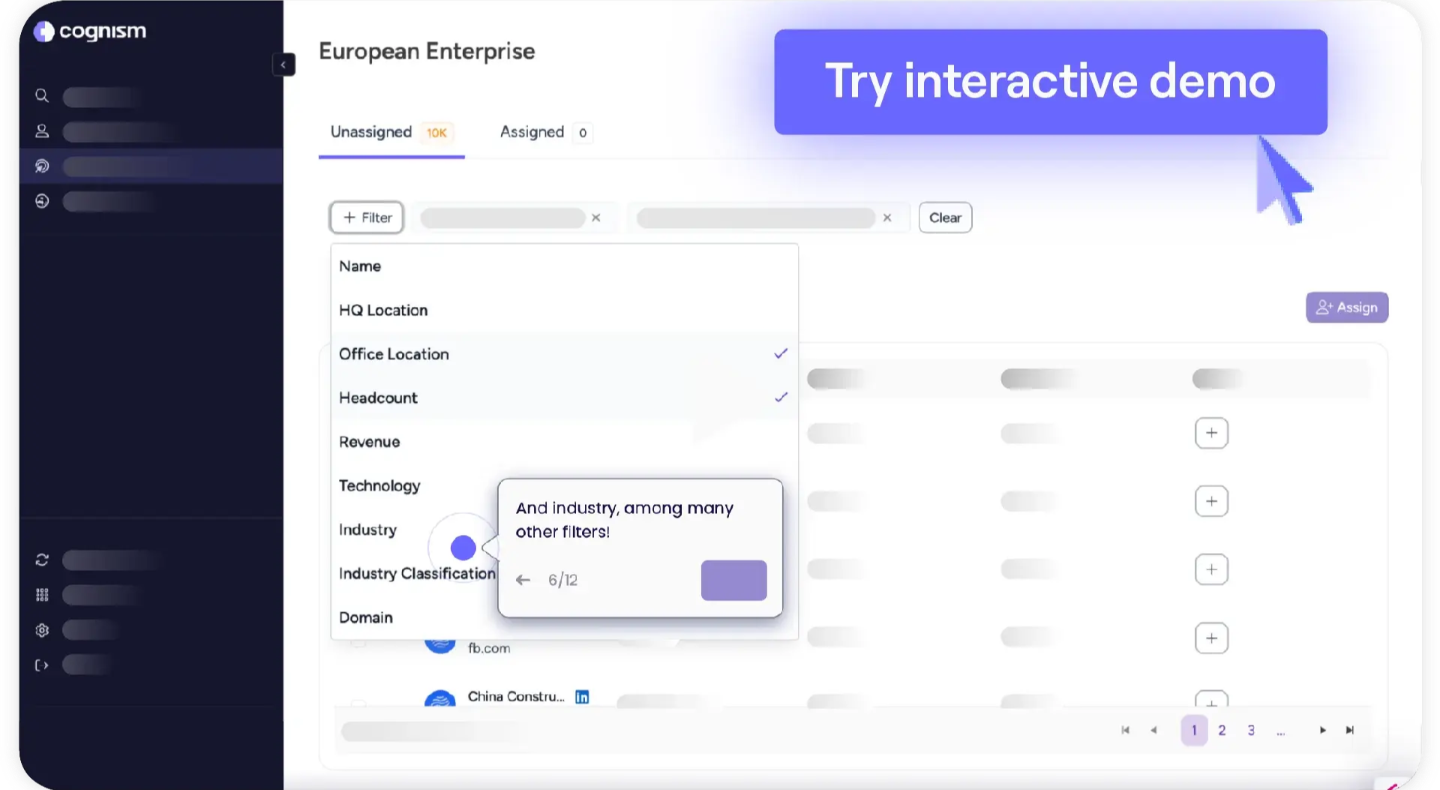
Cognism helps B2B teams find reliable, up-to-date contact information for accounts that match their ICP. With Cognism, users define their targeting criteria, and the platform surfaces matching companies. From there, it finds the right people within those companies, along with their verified emails, phone numbers, and LinkedIn profiles.
It is particularly strong for teams selling into European markets but sales teams prospecting in the US will find it less extensive.
Key Features
- Verified Mobile Data: Includes a Diamond Data feature with manually verified direct dials for higher cold-calling connect rates.
- Buyer Intent Data: Powered by Bombora to identify accounts showing active buying behavior.
- Global Coverage: Strong data accuracy across EMEA, North America, and APAC.
- CRM Enrichment: Automatic record enrichment for Salesforce, HubSpot, and Pipedrive.
Pricing
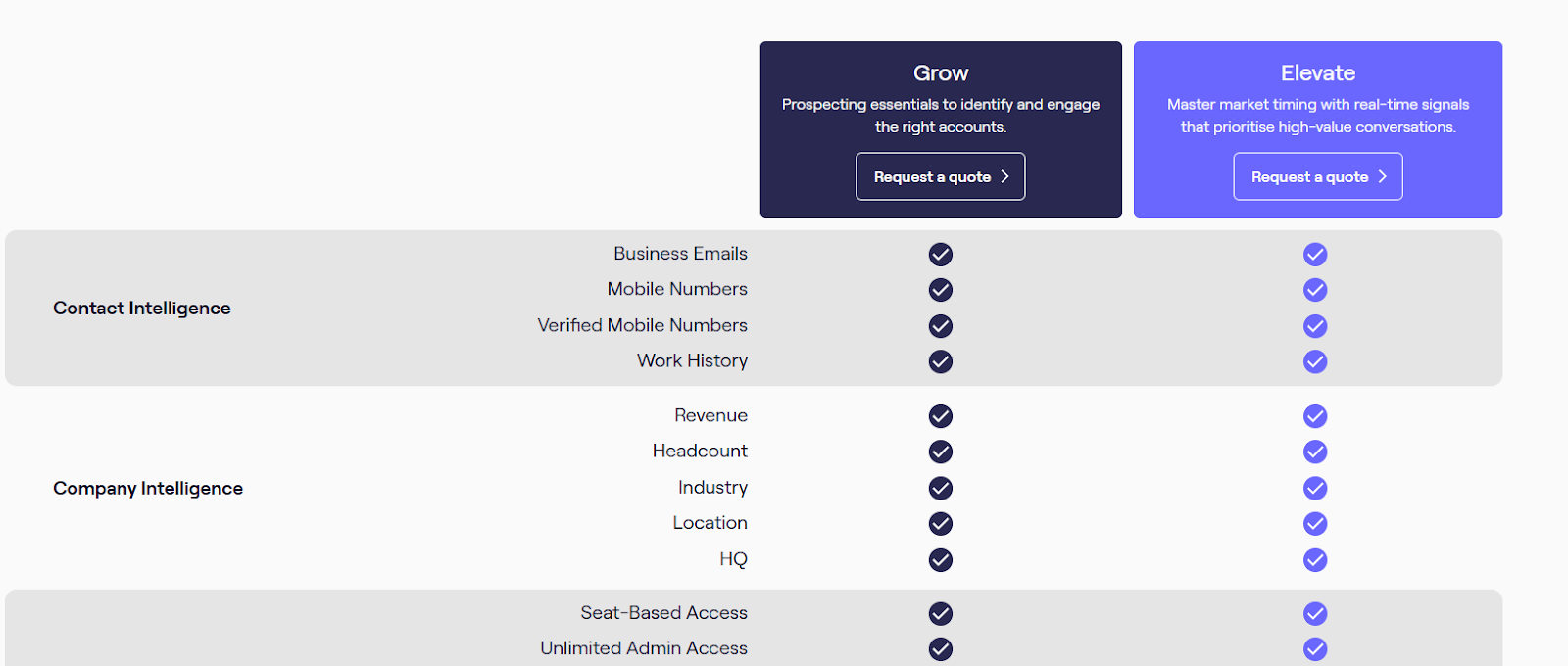
Cognism offers two paid plans: Grow and Elevate. However, pricing is custom, and interested users will have to contact their sales team for a tailored quote.
Pros
- GDPR-compliant data sourcing built into the platform
- One of the most complete databases in the EMEA region
- Seamless CRM integrations
Cons
- Does not analyze first-party signals like website visits
- Occasionally missing phone numbers hinder outbound calling
6. 6sense
Best for: Teams that want predictive account-level buying intelligence
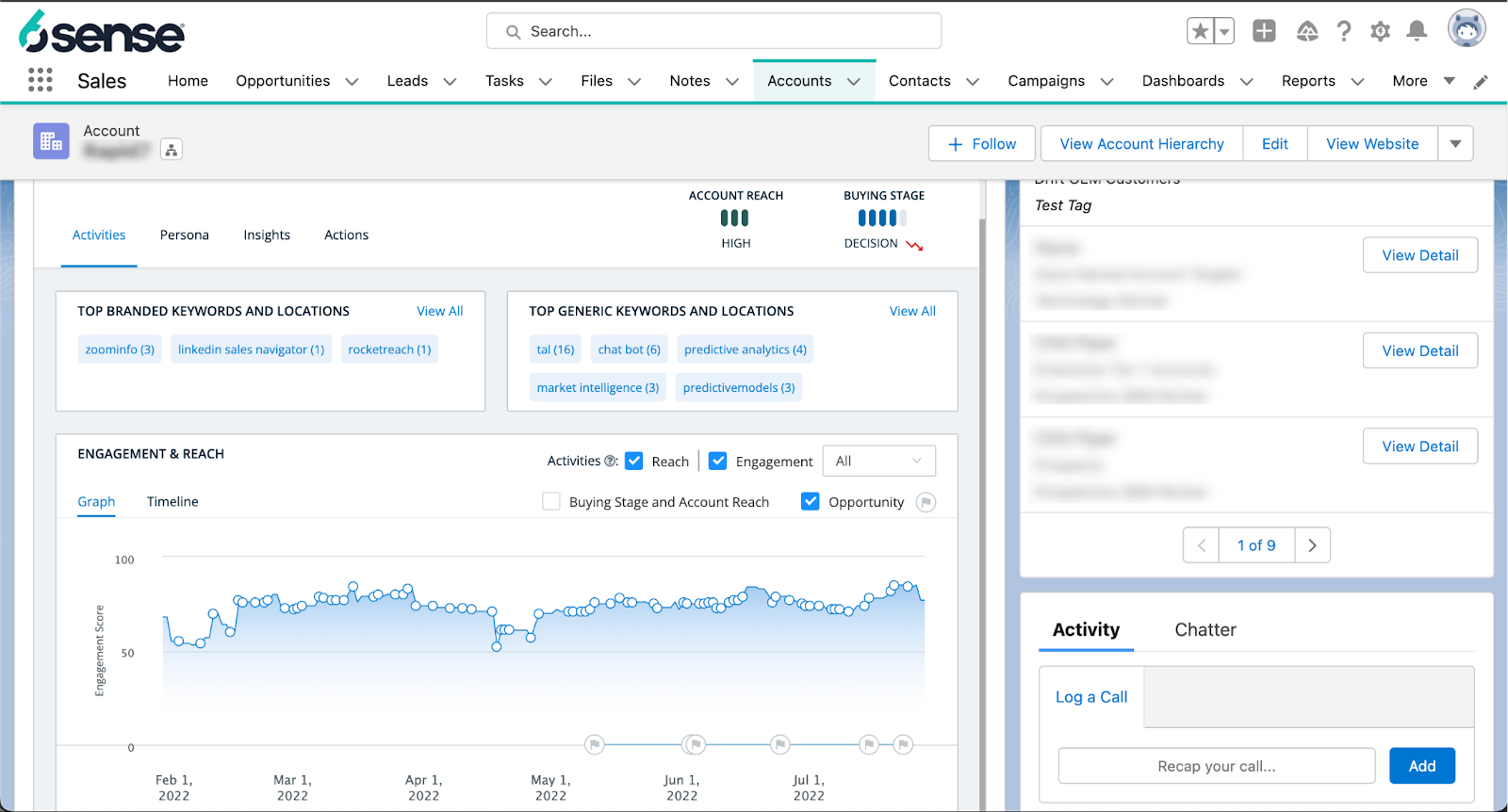
6sense is a revenue AI platform built around predictive analytics and account-level intent data. It identifies which accounts are in-market and maps where they sit in the buying journey, helping enterprise ABM teams coordinate campaigns across multiple channels based on real-time buying signals.
While the interface is easy enough to navigate, 6sense is not a plug-and-play solution. To make it work properly, you need solid internal processes, clean CRM data, and alignment across your team.
Key Features
- Predictive Account Scoring: AI predicts buying stages using billions of weekly intent signals.
- In-market Signals: Tracks buyer behavior across websites, ads, and content consumption.
- Dynamic Audience Building: Uses 80+ segmentation filters to define ICP and build dynamic lists.
- Multi-Channel Orchestration: Coordinates campaigns across ads, email, LinkedIn, and direct sales.
Pricing
6sense does not publish pricing. A limited free plan is available for one user with 50 credits per month.
Pros
- Strong predictive analytics for identifying ready-to-buy accounts
- Powerful ABM orchestration across channels
- Deep buyer journey visibility
Cons
- Complex setup with a steep learning curve
- Primarily suited for enterprise budgets
7. Lusha
Best for: Teams that want a quick, affordable way to find verified contact data
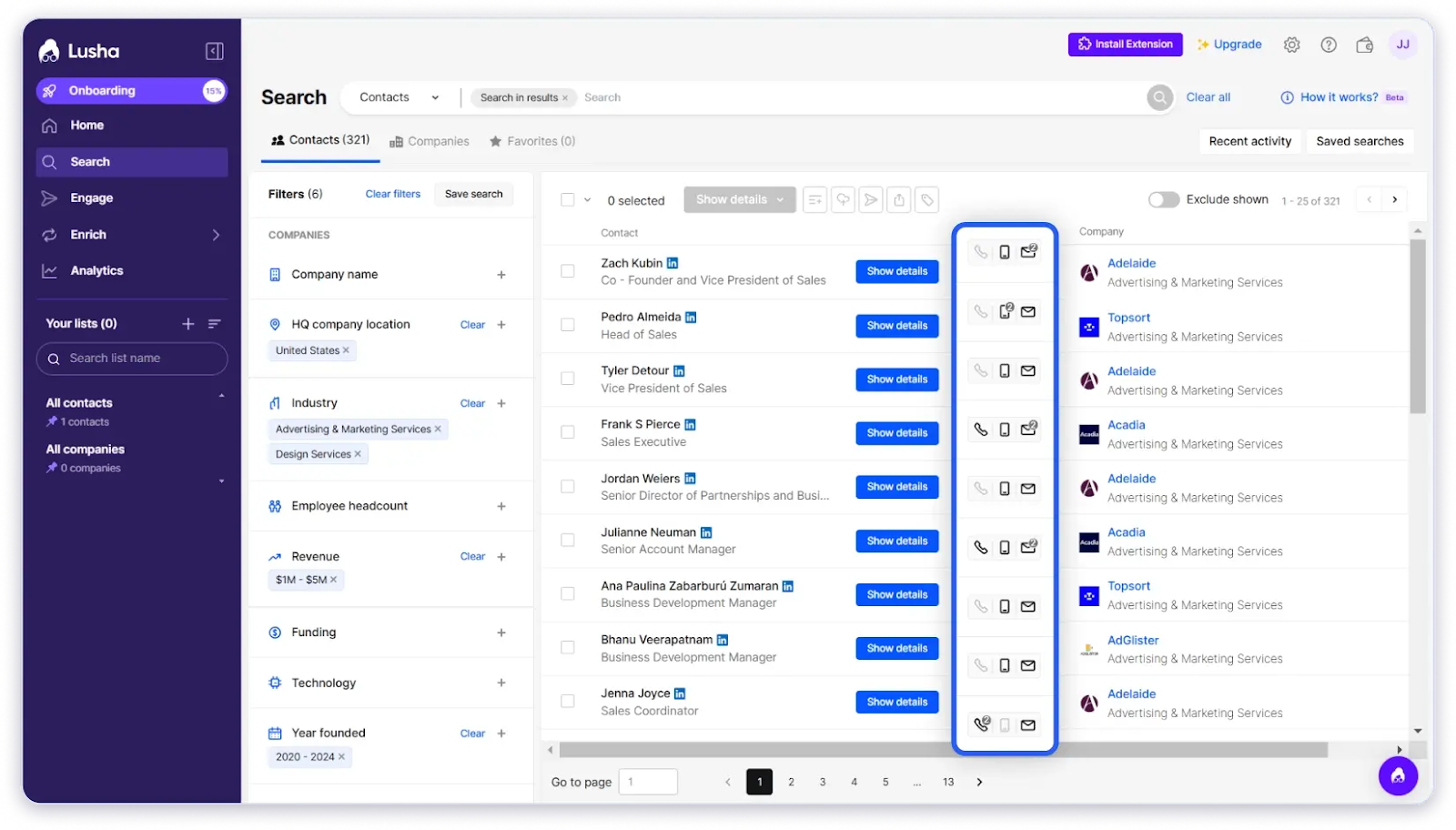
Lusha helps B2B teams find high-intent leads and quickly access their contact details. Its browser extension lets you pull data directly from LinkedIn or company websites.
Lusha is a popular choice for smaller teams that want something fast and easy to use without added complexity. Its data coverage, however, can be limited compared to larger databases. Users also often run into strict credit limits that restrict how much prospecting they can do.
Key Features
- Verified Lead Database: Get access to a database of verified B2B contacts for reliable lead generation.
- AI-Powered Email Workflows: Automatically engages leads as soon as they are identified.
- Smart Lead Enrichment: Adds demographic and firmographic details to each lead.
- Easy-to-Use Browser Extension: Reveals contact details directly from LinkedIn profiles and company websites.
Pricing
Lusha offers five tiers:
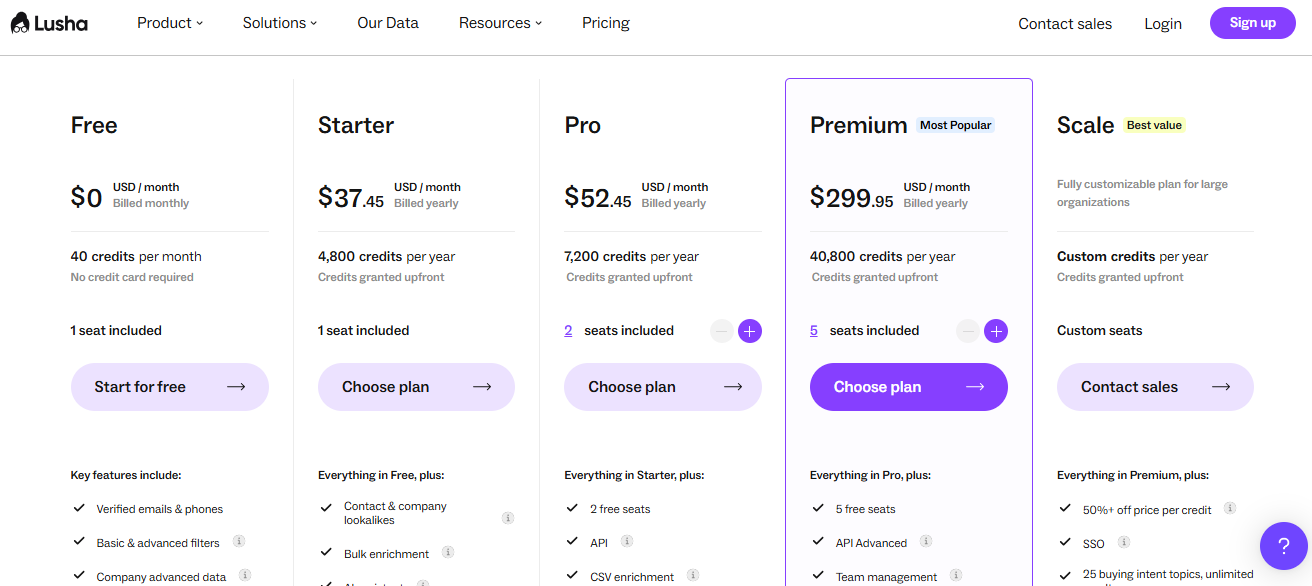
- A forever-free plan with up to 40 credits per month,
- Starter plan from $37/user/month
- Pro plan from $52/user/month.
- Premium from $299/user/month
- A custom Scale plan is available for enterprise teams.
Pros
- Global data coverage
- Personalized, stage-based email workflows
- Quickly surfaces verified emails and phone numbers
Cons
- Primarily focuses on third-party signals rather than website behavior
- CRM integrations are locked behind the Scale plan
8. Clearbit (HubSpot)
Best for: Teams that want granular details on every ICP account inside HubSpot
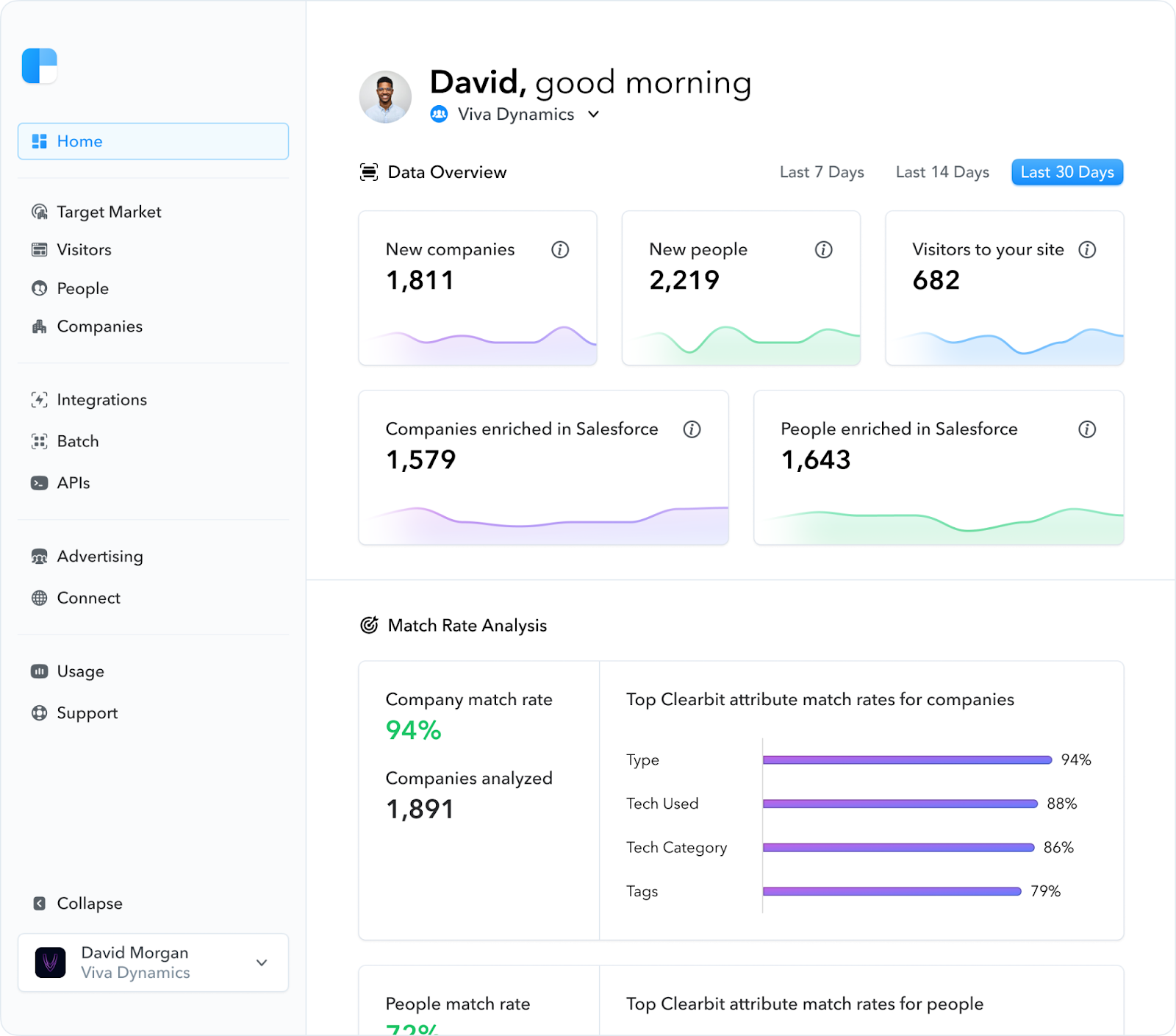
Clearbit, now part of HubSpot, combines data from over 250 public and private sources to give you comprehensive information about each target account. For every existing lead and every anonymous website visitor, Clearbit enriches records with up to 100+ B2B data points.
It also builds organizational hierarchy charts for each company, so you know which contacts have actual decision-making power. The platform scores leads and routes them automatically, letting you know in real time which accounts are ready for outreach.
Key Features
- Granular ICP Data: Access 100+ firmographic, technographic, and organizational attributes per account.
- Lead Scoring and Routing: Automatically ranks and assigns leads to the right reps.
- Form Shortening: Reduces friction by auto-filling data Clearbit already has.
- Website Visitor Identification: Reveals companies visiting your site using reverse IP.
Pricing
To use Clearbit, you need a HubSpot subscription. Pricing is custom.
Pros
- Accurate data sourced from 250+ public and private sources
- Real-time data refresh whenever there is a change
- Strong enrichment capabilities
Cons
- Requires a HubSpot subscription; no standalone pricing
- Company-level visitor identification only, not person-level
9. Leadfeeder (Dealfront)
Best for: Teams that want company-level website visitor tracking with simple setup
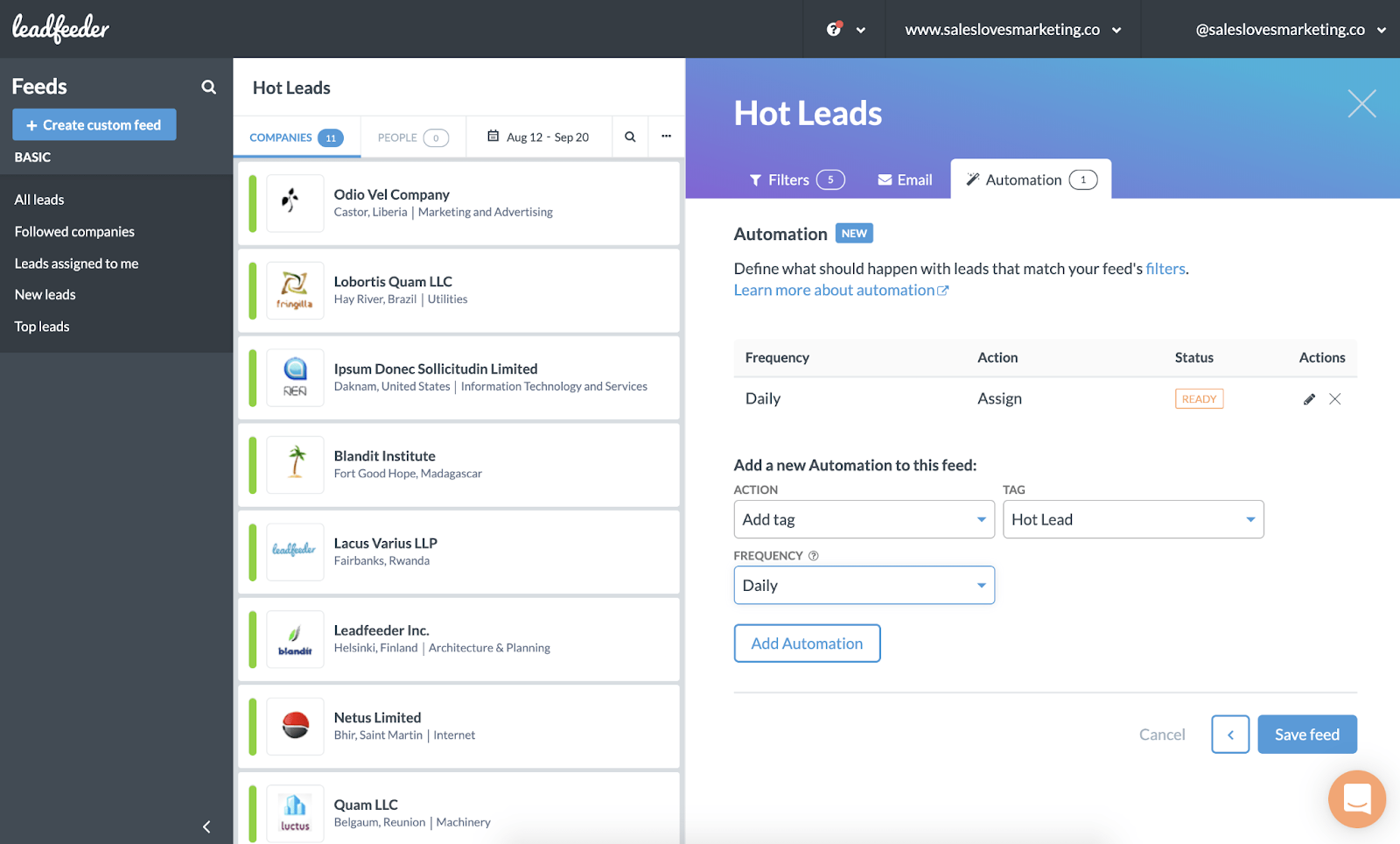
Leadfeeder, now part of Dealfront, identifies companies visiting your website by matching IP addresses to company records. It shows which pages visitors viewed, how long they stayed, and filters out bots and ISPs to surface only genuine prospect activity.
Leadfeeder is a solid entry point for marketing and sales teams that want to understand which companies are showing interest before building outreach lists. It works well for teams that want basic visitor intelligence without committing to a full ABM platform.
Key Features
- Company Identification: Matches website traffic to company profiles using IP data.
- Engagement Scoring: Ranks visitors by page views and session behavior.
- Custom Feeds: Create filtered views for different teams or segments.
- CRM Integrations: Syncs with Salesforce, HubSpot, and Pipedrive.
Pricing
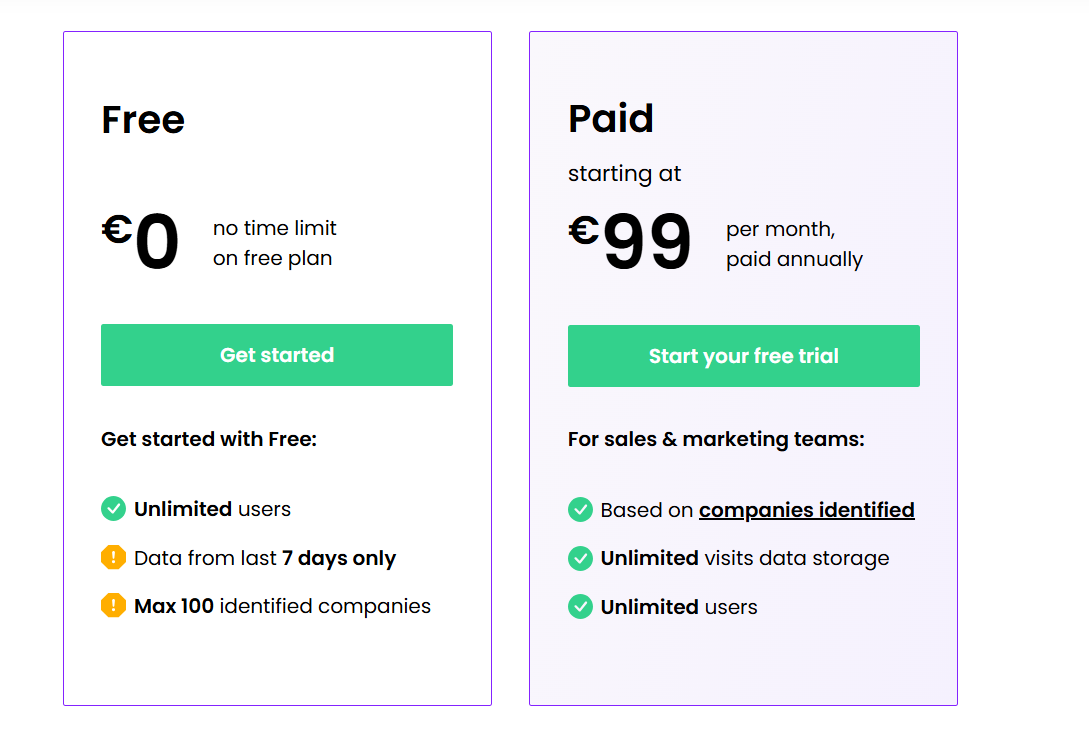
Leadfeeder offers a free plan limited to the last 7 days of visitor data and a maximum of 100 identified companies. The paid plan starts at approximately €99/month ($114/month), with pricing scaling based on the volume of identified companies.
Pros
- Simple setup with a clear, visual dashboard
- Effective bot and ISP filtering
- Identifies high‑intent website visitors
Cons
- Company-level identification only; no person-level data
- Costs scale as traffic volume increases
10. Seamless.AI
Best for: Teams that want AI-powered agents to handle manual prospecting work
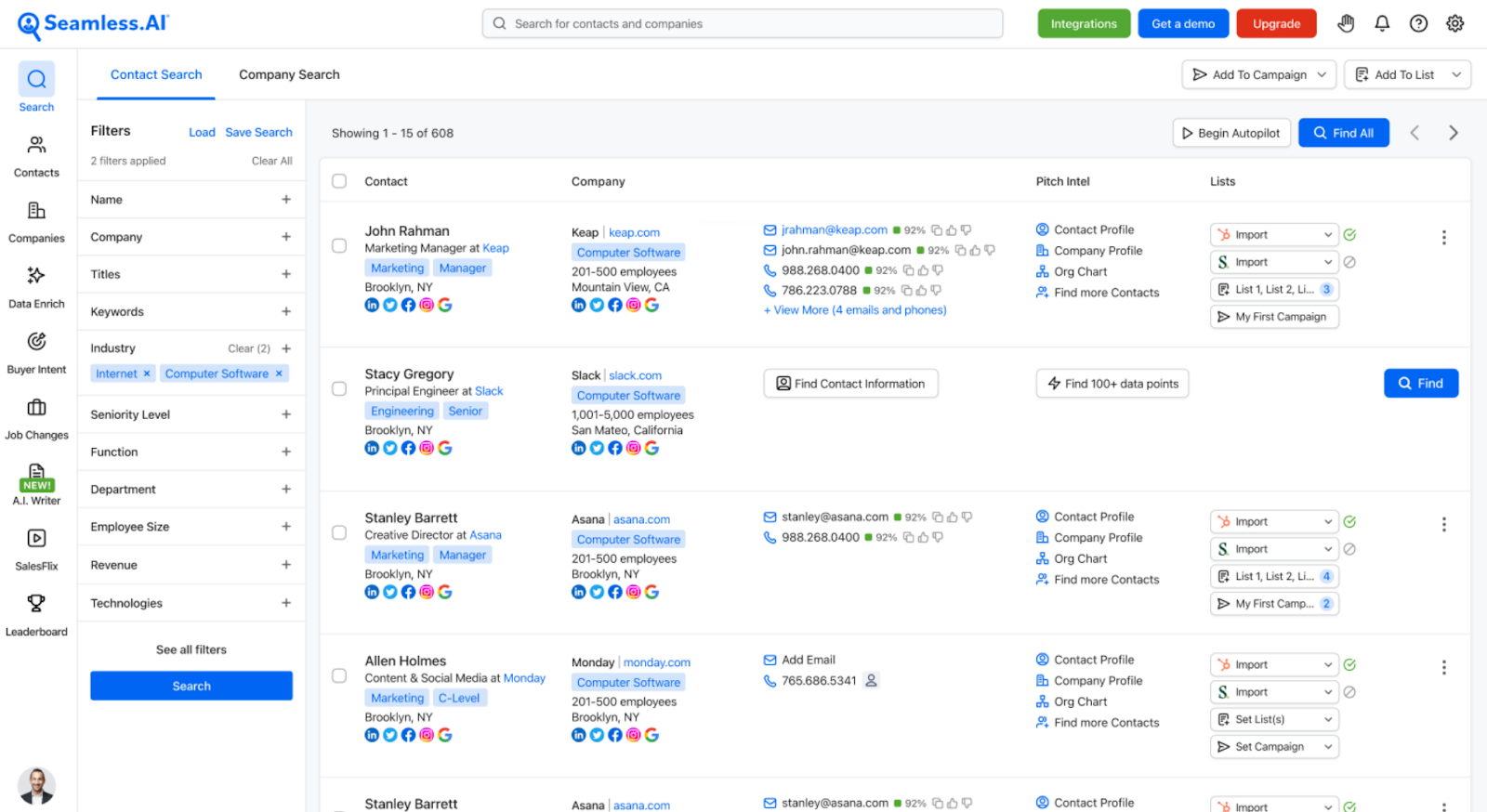
Seamless.AI is an AI sales platform that automates the repetitive work of lead generation, outreach, and pipeline building. It uses AI agents to identify potential buyers through signals like job postings, funding events, and company news.
Seamless.AI is suitable for teams looking to leverage AI-driven workflows. Some users, however, report inconsistent data quality. It can also be costly for smaller teams especially when compared to other tools like RB2B, which offers a clearer and more flexible pricing structure.
Key Features
- AI-Powered Lead Research: Automates prospecting, follow-ups, and meeting booking.
- Real-Time Data Verification: Finds and validates emails and phone numbers as you search.
- In-Browser Lead Intelligence: Captures data from LinkedIn and company websites in-browser.
- Automated Pipeline Building: Adds interested buyers to your CRM in real time.
Pricing
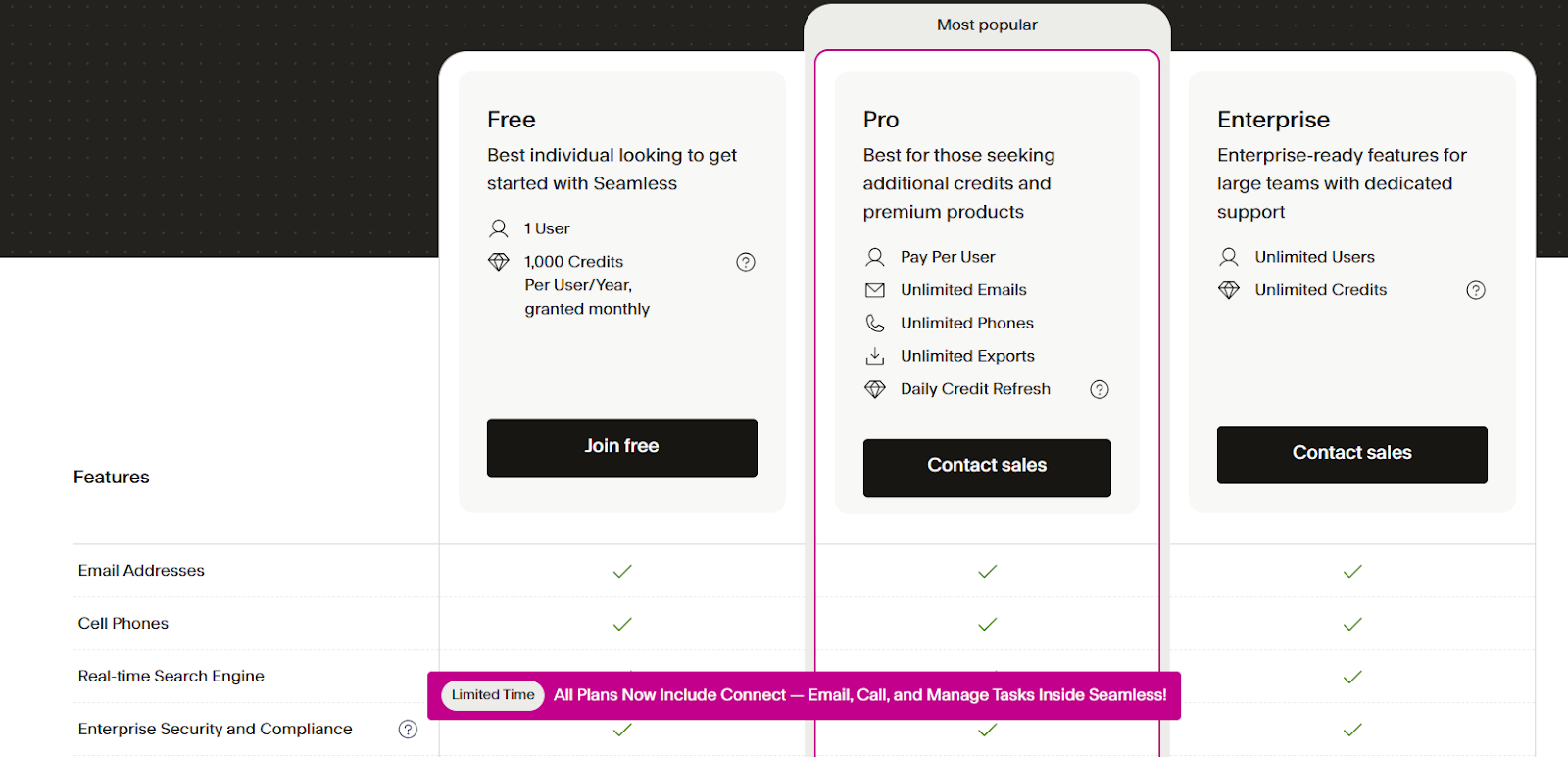
Seamless.AI offers custom pricing for its paid Pro and Enterprise plans. A free plan with 1,000 credits per year is available for smaller teams. For higher-tier plans, interested users have to contact sales for a quote.
Pros
- Fast setup and intuitive dashboard
- Supports multi-channel prospect engagement
- Auto‑populated emails and phone numbers
Cons
- Occasionally surfaces inaccurate or outdated data
- Pricing is not transparent
11. LeadIQ
Best for: Teams that prospect primarily through LinkedIn and Sales Navigator
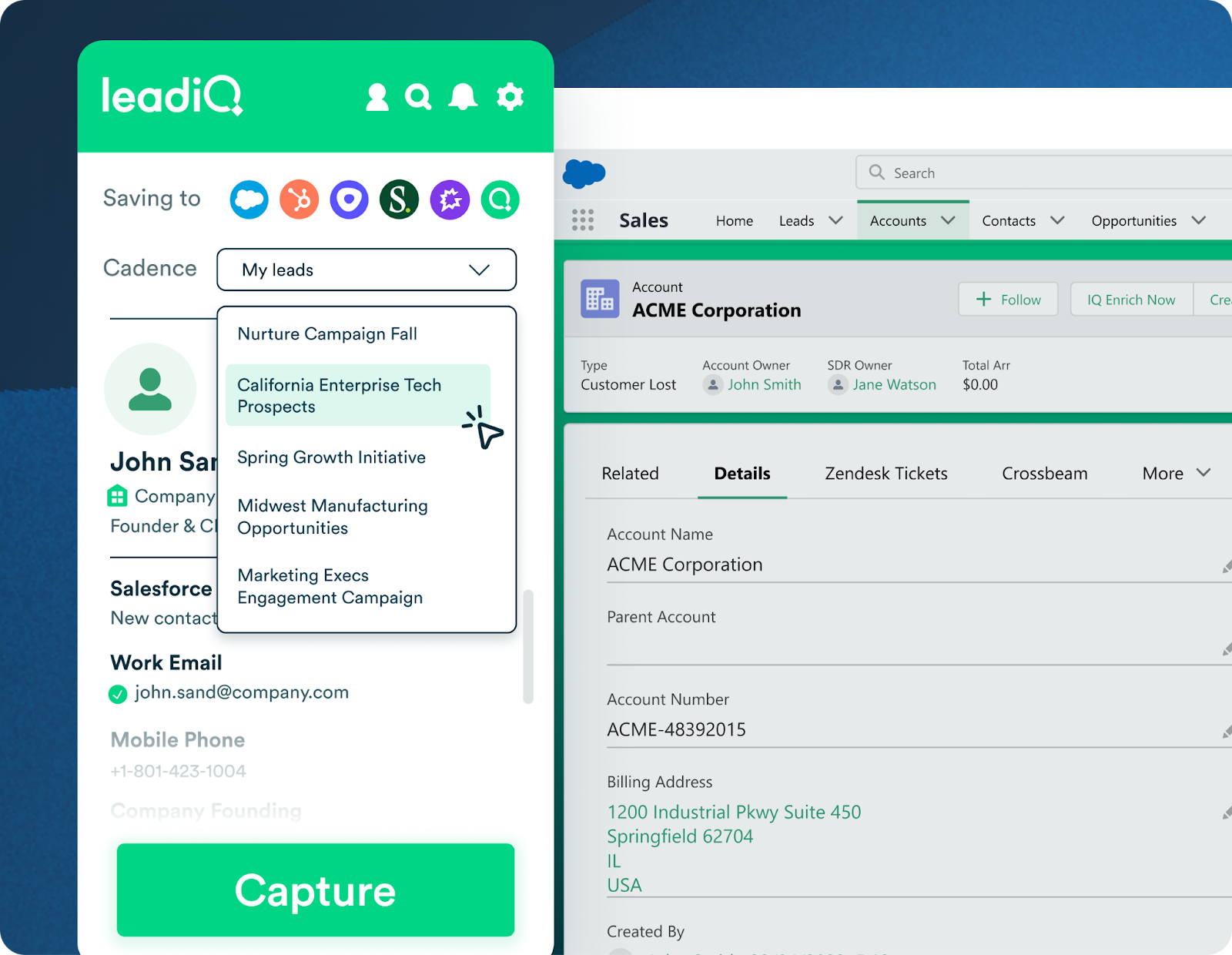
Last but not least is LeadIQ. It is a B2B prospecting tool designed for reps who live on LinkedIn. With one click, teams can capture intent data and sync it directly into their CRM or sales engagement platform. This eliminates the manual copy-paste workflow that eats up prospecting time.
For teams running outbound plays heavily through LinkedIn, LeadIQ keeps the process fast and frictionless. Other than that, you may still need a secondary tool to fully enrich or verify contacts at scale.
Key Features
- One-Click Capture: Pulls contacts from LinkedIn directly into your CRM.
- Job Change Tracking: Alerts reps when prospects switch companies.
- Email Verification: Validates contact accuracy before outreach.
- Sequence Integration: Works with Outreach, Salesloft, and other engagement platforms.
Pricing
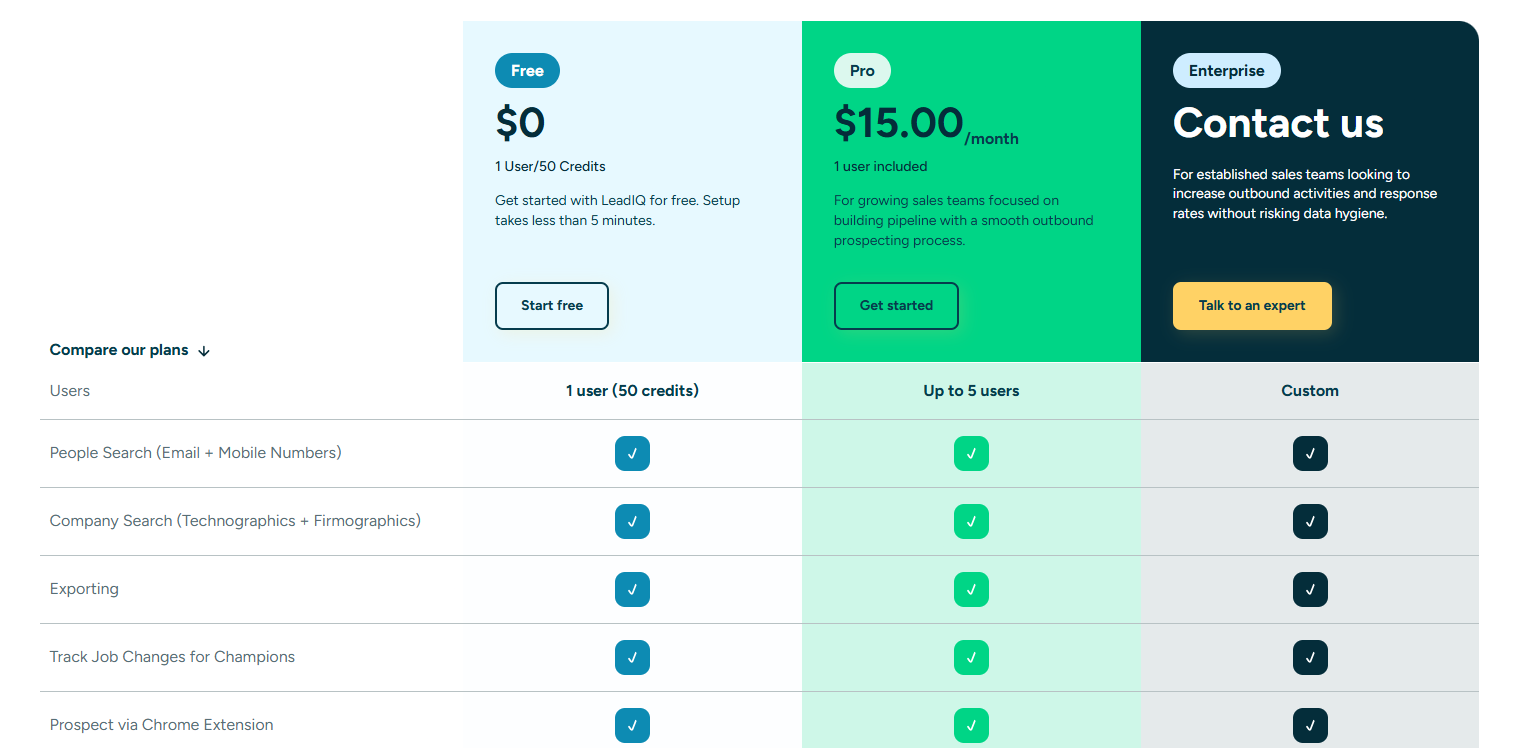
LeadIQ offers a free plan with limited credits for individual prospecting. The Pro plan starts at $15/user/month while a custom plan exists for more established sales teams.
Pros
- Tight LinkedIn integration streamlines daily prospecting
- Smooth integrations with popular CRM engagement platforms
- One-click capture allows for fast and easy lead generation
Cons
- Not a standalone database; works best alongside LinkedIn
- Less useful for teams that do not prospect via LinkedIn
How to Choose the Best Lead Intelligence Software for Your Team
Choosing the right lead intelligence software can transform your sales pipeline. Here’s a five-step guide to help your team pick the best solution:
Step 1: Identify Your Team’s Goals
Start by defining what you want from lead intelligence software. Are you focused on uncovering anonymous website visitors, enriching contact data, or tracking buying intent? Clear goals make it easier to choose a platform that fits your team’s specific outreach needs.
Step 2: Evaluate Data Accuracy and Depth
Check how reliable and complete the platform’s data is. Look for verified emails, phone numbers, and accurate role information. Platforms that rely on real-time traffic insights, like RB2B, can also help improve accuracy by grounding contact data in actual visitor activity rather than static lists.
Step 3: Consider Integrations with Your Workflow
Your lead intelligence tool should work seamlessly with your CRM and marketing platforms. Look for tools with native integrations so you’re not stuck doing manual data entry. That way, everything flows straight into your sales workflow without extra effort.
Step 4: Assess Automation and Real-Time Capabilities
Automation features, such as real-time lead alerts and intent tracking, help your team act quickly on high-priority prospects. Platforms that offer timely notifications allow reps to engage leads while interest is highest.
Step 5: Compare Pricing and Scalability
Finally, consider your budget and how the software scales with your team. Look for flexible pricing plans that support growth without compromising on data quality or features. RB2B offers a transparent, scalable pricing structure that works for teams of all sizes.
Wrapping Up: The Intelligence Gap Is Costing You Pipeline
Every day, qualified buyers land on your website, browse your most important pages, and leave without a trace. Those visitors go to a competitor who reached out first, or they simply move on because nobody followed up when the intent was highest.
That is the lead intelligence gap. While most lead intelligence tools tell you which companies visited your site, they don’t reveal the exact decision-makers you need to reach.
RB2B closes that gap by delivering real-time, person-level visitor intelligence directly into the tools your team already uses. Stop chasing cold leads while warm prospects slip through the cracks.
Start for free and see who is visiting your site today.
Frequently Asked Questions
1. How does lead intelligence software improve sales outreach?
Lead intelligence software improves sales outreach by showing your team which prospects are actively engaging with your company. It allows you to prioritize high-intent leads, tailor messaging, and reach the right decision-makers at the right time.
RB2B goes further by identifying specific visitors and their roles. This ensures that outreach is targeted, timely, and more likely to convert.
2. What is the difference between company-level and person-level identification?
Company-level identification tells you which organizations visited your website. Person-level identification reveals a specific individual behind the visit, including their name, job title, LinkedIn profile, and email address.
Most tools stop at the company level. RB2B is one of the few platforms that delivers both company-level and person-level intelligence.
3. Can lead intelligence software integrate with my CRM?
Yes. Most lead intelligence platforms offer native integrations with popular CRMs like Salesforce and HubSpot.
RB2B integrates with over 20 platforms, including Zapier and Instantly. This allows enriched data, lead scores, and intent signals to flow directly into your workflows without manual data entry.