
RB2B AI: ASK US ANYTHING
In my experience, one of the biggest challenges for go-to-market (GTM) teams is finding the right decision-makers to pitch the features and USPs of their product. This is where business intelligence platforms like ZoomInfo have COMPLETELY changed the game.
Now, everyone with a solid product would like to see those tangible ROI numbers ASAP—the only issue that creeps in is finding the right data to grow your customer base, identify ready-to-buy leads, and close deals reliably. ZoomInfo bridges that gap by letting you know which companies visit your website so you can automate and scale your outreach efforts.
On the surface, ZoomInfo seems like a total package for targeting buyers, flaunting over 600 million profiles captured and more than two billion web pages monitored daily. But, if you’re looking for more practical insights on the product, this is the guide for you.
My goal with this ZoomInfo review is to provide you with an unbiased and comprehensive overview of the platform’s features and pricing, as well as share my (and other users’) experiences with the tool.
Bonus: Since my team and I spent a good number of days exploring ZoomInfo, we ended up brainstorming some cool tips to make the most of this tool—we’ll share them all with you!
ZoomInfo is a straightforward GTM platform. It aims to provide accurate and real-time B2B data and insights, automate tasks across outreach channels, and drive growth by helping sales and marketing teams connect with the right people.
ZoomInfo focuses on three tiers of business intelligence (BI) data:

Any marketing or sales team would identify the above as the gold standard of data for shaping an actionable and scalable GTM strategy. But what I really like about this platform is that it aims to be an integrated solution beyond data analytics. And, as someone who loves to be on top of outreach communications, I find some features genuinely impressive—for instance:
Since ZoomInfo’s primary focus is on BI data, I thought it was worth checking out the quality of their records. The platform has an extensive company database compiled from various sources, such as:
ZoomInfo employs data or web scraping tools for gathering data from the above-mentioned sources. You get industry-standard IP identification solutions to expand your contact base, with most of the platform’s data tapping into corporate network IPs attached to domains.
While I did not have high hopes for the platform’s search capabilities, I was THRILLED to see a super capable search engine to navigate my total addressable market (TAM), allowing me to filter through 300+ company attributes and data combos.
My personal due diligence goes beyond what a tool promises to do—I love to test features on a more practical level and see how well they integrate with my team’s usual prospecting workflows.
To give you the full lowdown, though, I’d first emphasize that ZoomInfo’s features are distributed across four key services, namely:
Essentially, the platform not only streamlines your lead generation and engagement processes but also packs functionalities to support the efficiency of operations and HR teams. Here’s my brief overview of the above-mentioned services:
SalesOS serves as ZoomInfo’s central solution for navigating prospects. It's a comprehensive sales intelligence platform that allows users to search for contacts, job titles, and other relevant company information. I like how my team gets to push our lead pipeline further by getting real-time intent signals from prospective buyers, which helps us prioritize ready-to-buy leads.

Some of my favorite features and use cases of ZoomInfo SalesOS include:
While this solution decidedly enables B2B sales and fast-tracks revenue growth, I was hoping to see higher prospecting efficiency. For instance, I was unable to find data on smaller companies at times, so a part of my TAM would probably have to wait.
OperationsOS is ZoomInfo’s cutting-edge data automation, orchestration, and management solution. It is designed to boost data quality by reducing errors and inconsistencies and to optimize information accessibility across teams.
The prominent feature I’d like to highlight here is Data Cleaning and Deduplication, which offer the following use cases:
If we’re talking automation, OperationsOS boasts stellar data enrichment and lead routing to ensure leads are directed to the right salespeople. My team was quite pleased with its simple rule setups for customizing workflows, all backed by a friendly drag-and-drop interface.
ZoomInfo’s account-based marketing (ABM) solution employs advanced B2B intelligence to help businesses generate leads more effectively. I found that many of the features available here overlap with the SalesOS solution, but you may prefer this product if your primary goal is demand generation and personalized engagement.
The solution’s key use case is optimizing marketing and lead generation strategies. I found the following functionalities pretty neat:

While I didn’t experience any issues with the solution, some users may find it overwhelming as there’s a steep learning curve around navigating the vast data and reports to generate actionable steps.
Now, if you’re also looking to hire top performers for your team, you’ll love ZoomInfo’s talent acquisition tool, TalentOS.
ZoomInfo does a good job of expanding its lead-gen tech to also help you prospect the right talent and improve candidate outreach.
Some of the noteworthy features of this solution include:
ZoomInfo launched its intelligent AI solution called ZoomInfo Copilot in mid-2024. My initial impressions of the solution are quite positive.
For me, ZoomInfo Copilot immediately shines because it provides recommendations on when to target specific customers based on insights generated in real time. My marketing brain immediately sees this as a shortcut to capitalize on time-sensitive deals and intent spikes.
That’s not all—the Copilot doubles as my personal information assistant, helping me stay on top of accounts through interactive chat. It can also write me emails tailored for a particular prospect group, and all I have to do is customize it (if I choose to roll with it, of course).
ZoomInfo’s pricing isn’t exactly straightforward. Under SalesOS, the platform has three tiers—Professional, Advanced, and Enterprise—while MarketingOS includes Marketing Demand, ABM Lite, and ABM Enterprise, but there’s no official pricing information.
Public reporting and buyer discussions suggest smaller contracts can start around $15,000 per year, but real contract values vary widely, reaching $40,000+. Vendr places the average contract value at $33,240, which shows how quickly costs can scale depending on what a team buys.
A combination of two factors drives ZoomInfo’s overall cost:
This means you are often paying for both platform access and ongoing usage. If your team runs out of credits, you will need to buy more, which can push total spend up over time.
ZoomInfo positions this as a flexible strategy for customers’ specific needs, but while that may work for large teams with defined workflows, the costly downside is transparency. Without clear pricing upfront, it’s harder to predict long-term costs, compare tools fairly, or know how much extra seats and credit top-ups will really cost.
That lack of visibility creates friction, especially for leaner teams, causing them to explore more affordable or free ZoomInfo alternatives. By contrast, clearer pricing makes it easier to evaluate ROI early and choose a tool with confidence.
Across G2 and Trustpilot, the feedback is consistent—users value ZoomInfo’s data, but struggle with the pricing. For smaller teams, especially, it’s not always clear if the ROI matches the spend. Here’s what a user had to say:
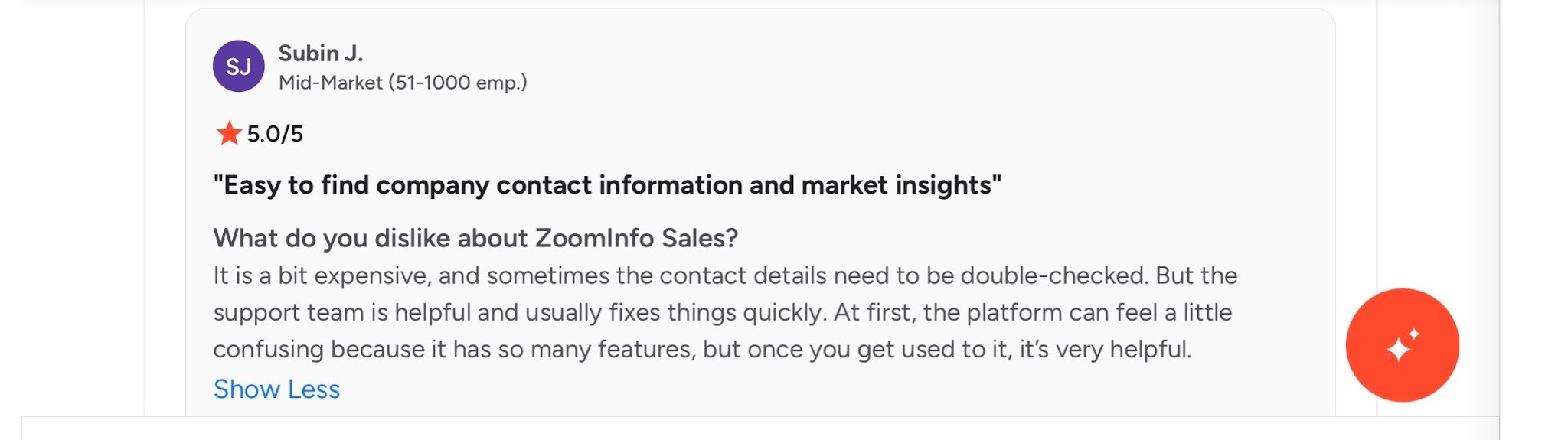
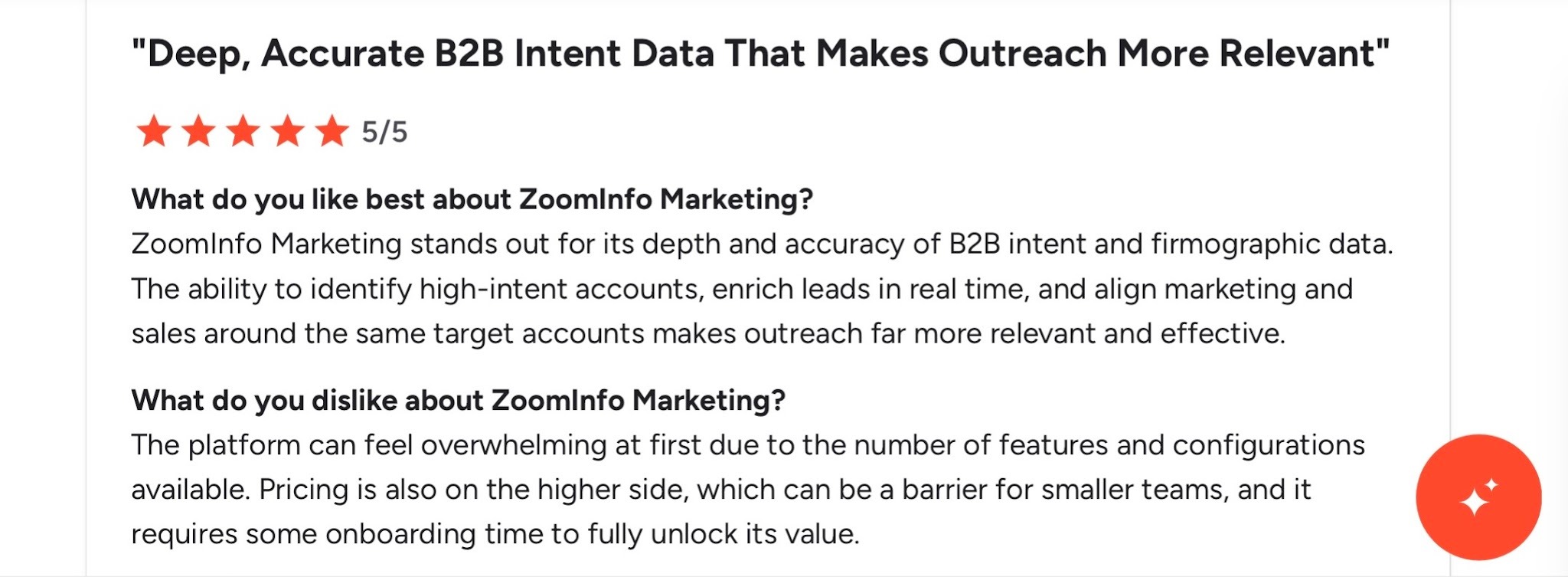
I consulted several major review platforms, mostly for the highly popular ZoomInfo SalesOS solution, and many users seem satisfied with the product. You can check out the overall ratings in the table below (up-to-date for July 2024):
My personal experience with ZoomInfo has also been mostly positive, but my issues with efficiency and pricing make me want to explore alternative solutions. If I have to pinpoint some pros and cons, I’d choose the following:
There’s no doubt that ZoomInfo can be powerful, but only if it matches your pipeline workflow. From what I’ve seen, its value and ROI depend on whether your team leans heavily on outbound or not, particularly for high-volume use.
ZoomInfo is worth it if you:
On the other hand, it’s not the best fit if you:
In a nutshell, ZoomInfo works best when you’re willing to trade cost and complexity for scale. When that trade-off doesn’t fit your model, the value starts to break down quickly, and you may need to go for free ZoomInfo alternatives.
ZoomInfo may not be the perfect lead generation tool out there, but I cannot deny that it’s user-friendly for the most part and does a great job filling those data gaps in your sales and marketing strategy.
On that note, here are three tips to help you derive the most value out of ZoomInfo:
Scoops is an often-ignored feature that allows you to gain actionable intelligence for your industry. The data is gathered by ZoomInfo’s in-house teams and mostly supports leadership moves.
While ZoomInfo has a dedicated Notification Center, it’s easy to lose track of important updates in a tsunami of alerts. That’s why I recommend setting up Breaking Alerts for key engagement updates—these alerts are forwarded to your Slack channel, ensuring faster response times.
If we’re talking Slack-based updates to improve your lead gen process, you absolutely must try RB2B’s Person-Level Website Visitor ID tool. RB2B is the only FREE tool that provides person-level visitor information, so you don't have to guess who the decision maker is. You get their full profile, together with contact information and LinkedIn, pushed directly to your Slack channel! It even tells you exactly what page of your website they visited.

Confused? Thrilled? Curious? 🤔
I got you! Let me give you some context here.
Tools like ZoomInfo offer invaluable data for website visits—but there is some legwork involved before you can leverage that data for informed action. For instance, when I get my hands on vague company data or org charts, I need a couple of hours to go through the contacts and job titles, as well as assess their buying intent and decision-making capacity.
RB2B gives you a handy tool to save those hours. Here’s what its Person-Level Website Visitor Identity solution does:
This is a 100% free and complementary tool that you can use in tandem with other lead gen and data enrichment tools like ZoomInfo and 6Sense. I say complementary because RB2B relies on a different database of contacts. Our person-level visitor identification is unique and there’s barely any overlap with the visitors you identify via RB2B and those you identify via ZoomInfo and similar solutions.
Note: The product captures only U.S.-based traffic, so it’s FULLY COMPLIANT with regulations like CCPA and CPRA. GDPR does not apply here as the regulation only concerns visitors in the European Union.
To use our free Person-Level Website Visitor Identity tool, all you have to do is:
Once you’re set, you can enjoy unlimited use of the tool’s premium features for 30 days. After 30 days, you can keep using the tool with free monthly credits—or upgrade to the Premium plan, depending on your need.
ZoomInfo is popular and widely used for its versatility. The platform’s services can cater to many business functions, mainly sales, marketing, business development, and HR. While it’s suitable for companies of different sizes and industries, the ultimate deciding factor will probably be the pricing quoted to you (or the price-to-features ratio).
Cannot decide if you want to commit to the solution? If that’s the case, you can always get RB2B’s FREE Person-Level Website Visitor Identity tool to start gathering real-time data on leads while you explore other BI solutions.
Bonus Read: Learn how ZoomInfo compares to other popular tools on the market:
The best free alternative to ZoomInfo is RB2B’s freemium solution with person-level identification and real-time intent signals. Other companies like ZoomInfo include Apollo, Lusha, Warmly, and Cognism.
ZoomInfo is generally known for its large and fairly accurate contact database, but accuracy can vary by region, niche, and data type. Some users report outdated or incomplete records, especially at scale.
Smaller companies tend to find ZoomInfo’s credit and usage-based pricing model expensive. Paying for access and the number of seats means costs can increase quickly as your team grows or as you consume more data.
ZoomInfo Copilot reviews show that it offers users tremendous help with prospecting using AI-driven insights and recommendations. It also improved my efficiency greatly, helping me monitor accounts, extract data, and even write tailored emails.
Alert your reps, start automated outreach, and add to lead score in under five minutes.

